

This article is part of our AI Agents for Business hub. Want help applying it? Talk to eSEOspace.
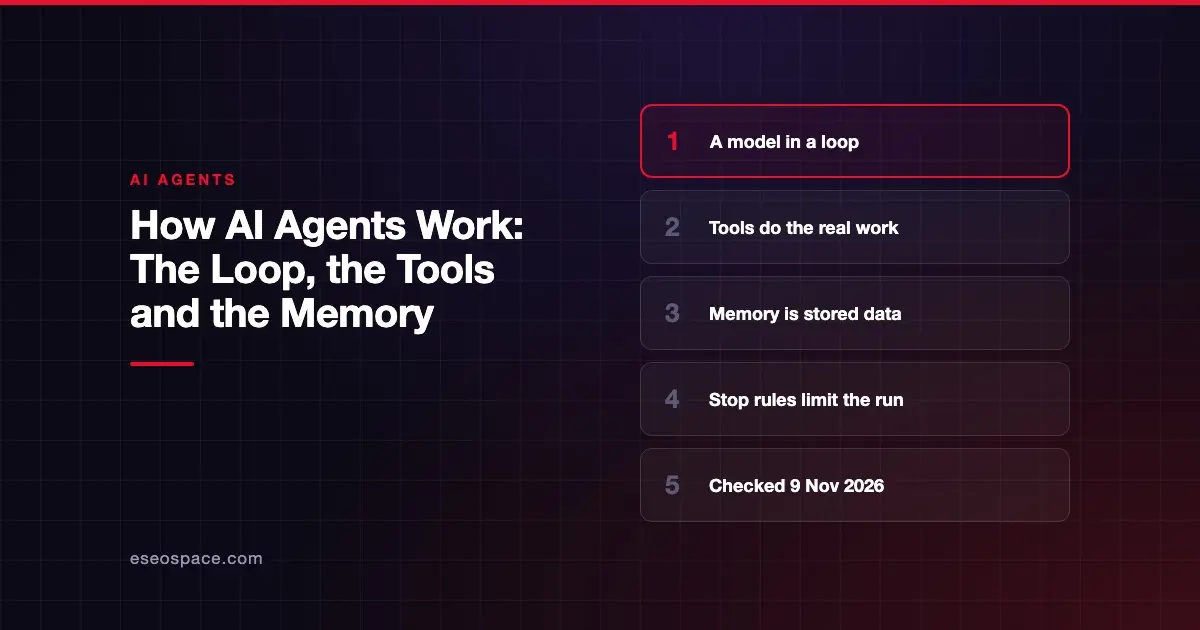
AI agents work by running a language model in a loop. It picks a tool, sees the result and decides what to do next. The loop ends when the job is done or a limit is reached.
That simple idea explains both why agents are useful and why they need limits. This guide is part of our AI agents for business hub. It was checked against vendor and OWASP documentation on 9 November 2026.
Key Takeaways
- An agent is a language model that chooses its own next step and uses tools to act.
- Each pass through the loop gives the agent a real result to react to, such as a search result or an error.
- Tools are what let an agent change things, so tool permissions set the size of any mistake.
- Agent memory is stored data, and it can be poisoned by bad input like any other data.
- Stop rules and human checkpoints are how you keep a loop from running too far.
The short version: a workflow follows a script, an agent chooses
Anthropic, which sells AI models and agent tools, drew a useful line between the two in December 2024. The page notes that much of the tooling it describes has changed since.
It says: "Workflows are systems where LLMs and tools are orchestrated through predefined code paths." In an agent, the model directs its own process and decides which tools to use.
An LLM, or large language model, is the part that reads text and writes text. On its own it can only answer. An agent adds the ability to act.
OpenAI's documentation puts it this way: "Agents can plan and complete tasks using tools, work with other agents, and maintain context across steps." Our plain definition of an AI agent covers the basics if you are starting from zero.
What happens in one run
Anthropic's guide says: "They are typically just LLMs using tools based on environmental feedback in a loop." Here is that loop for a simple task, such as "find this customer's order and tell them when it ships."
- The goal arrives. A person types a request, or a system sends one. Anthropic says agents begin with a command from, or a discussion with, the user.
- The model plans a step. It reads the goal, its instructions and anything gathered so far. Then it picks one action, such as looking up the order.
- A tool runs. The tool is ordinary software, such as a database query or an email function. The model asks for the tool, and your system runs it.
- The result comes back. The order record, or an error, goes back to the model. Anthropic says agents need real information from the environment at each step.
- The model decides again. It either takes another step, asks a person, or finishes.
The important part is step 4. The agent reacts to what actually happened, so it can recover from a failed lookup. A script with fixed steps cannot change course that way.
Tools: where the risk lives
A tool is any function the agent may call. Reading a calendar is one tool. Issuing a refund is another.
The model only writes a request to use a tool. The tool does the work, so the list of tools defines what the agent can possibly do.
OWASP, a security community, lists Excessive Agency as a risk for language model applications. It names three root causes: excessive functionality, excessive permissions and excessive autonomy. Each one is a design choice you control.
Its AI Agent Security Cheat Sheet gives the rule plainly: "Grant agents the minimum tools required for their specific task." It also recommends separating read-only access from write access.
Memory: what an agent actually remembers
An agent does not remember the way a person does. Its memory is data that software saves and feeds back to the model.
There are two kinds worth knowing.
| Type | What it holds | When it ends |
|---|---|---|
| Working context | The goal, the steps so far and the tool results in this run | Depends on how the product is built |
| Stored memory | Notes, preferences or past sessions saved to a database | When someone deletes it or it expires |
Products handle this differently. OpenAI's agent documentation says its Agents API includes automatic context compaction and saves session configuration, turns and items. Its SDK leaves state to your own storage, SDK sessions or conversation state.
Memory carries a specific risk. OWASP's cheat sheet describes memory poisoning as malicious data saved in agent memory to influence later sessions or other users. OWASP's agentic risk list uses the name ASI06, Memory and Context Poisoning.
The cheat sheet's advice is direct: "Validate and sanitize data before storing in agent memory." It also recommends isolating memory between users and sessions, with expiration and size limits.
How a run stops
A loop needs an exit. Anthropic says a task often ends on completion, and that stopping conditions such as a maximum number of iterations are common to keep control.
It also says agents can pause for human feedback at checkpoints or when they hit a blocker. In a business setting, those checkpoints matter most where a mistake costs money or cannot be undone.
OWASP's guidance is: "Require explicit approval for high-impact or irreversible actions." It also says: "Implement action previews before execution." Our guide to human-in-the-loop AI agents covers where to put those approvals.
Why loops cost more and fail differently
Every pass through the loop is another call to the model, and another chance to go wrong. Anthropic is blunt about this: "The autonomous nature of agents means higher costs, and the potential for compounding errors."
A small error early in a run can feed into each later step. That is why Anthropic recommends extensive testing in sandboxed environments, with appropriate guardrails.
It also recommends finding the simplest solution possible, and adding complexity only when needed. If the steps never change, a fixed workflow may do the job for less. Our comparison of an AI agent and a chatbot helps you sort out which you need.
What to ask about any agent
You do not need to read code to review an agent. Ask these questions of a vendor or builder.
- What tools can it call, and which of them can change data?
- Whose account or permissions does it act under?
- What stops a run, and is there a limit on steps or spend?
- Which actions need a person to approve them first?
- What does it save between runs, and who can delete that data?
- Is there a log of each decision and tool call?
OWASP's cheat sheet supports that last question: "Log all agent decisions, tool calls, and outcomes." It adds that sensitive data should be redacted before it reaches the logs.
Next step
If you are mapping a real process onto this loop, start by listing the tools it would need and which steps need approval. When you want help scoping or building it, see our AI agent development service.
Frequently asked questions
Do AI agents learn from every task?
It depends on the product. An agent uses what is in its context for the current run, plus anything the product saves. Whether it keeps anything between runs depends on how that product stores memory, so ask the vendor.
What is the difference between an agent and a tool?
The agent is the model deciding what to do next. A tool is a specific function it can call, such as a search or a database update. The agent cannot do anything the tools do not allow.
Can an agent run forever?
It should not. Anthropic notes that stopping conditions, such as a maximum number of iterations, are common. Set a step limit and a spending limit before an agent runs unattended.
Does an agent need to be connected to my systems?
Only if it needs your data or has to act in those systems. Each connection is another tool and another permission to manage. Start with read-only access where you can.
Is a multi-agent system different?
It uses the same loop, with more than one agent passing work between them. OpenAI's documentation describes agents working with other agents and handing off tasks. More agents mean more steps to test and monitor.









