Disclosure: this is a guest article. For what to ask clients for in the first place, see client data for web agencies: what to request and refuse.
Running a remote marketing agency means juggling a lot more than campaigns and deadlines. You're also responsible for protecting client data, from advertising account credentials and customer information to analytics dashboards and confidential business documents.
And when your team works from different locations, keeping that information secure gets complicated fast.
One employee might be updating campaigns from a coffee shop, while another accesses client files from a coworking space. Add multiple SaaS tools, shared accounts, and personal devices into the mix, and small security mistakes can quickly become serious problems.
The good news? Protecting client data doesn't have to involve expensive software or complicated IT policies.
With a few practical security habits, remote marketing agencies can reduce everyday risks, protect client relationships, and keep their teams working efficiently.
Why Client Data Security Matters for Remote Marketing Agencies
Think about how much information your agency handles during a typical working day.
Your paid media specialist logs into Google Ads to adjust campaign budgets. Your SEO manager reviews performance reports in Google Analytics. Your content team accesses shared documents, while your account manager checks customer information in a CRM.
Every platform contains information that clients expect you to handle responsibly.
And the risks go beyond someone stealing a password.
An employee could accidentally share a confidential report with the wrong person. A freelancer might retain access to an advertising account months after finishing a project. Someone could unknowingly approve a malicious login request or connect a risky third-party application to a client account.
Remote work makes these situations harder to monitor because employees operate from different devices, locations, and networks.
There's also a business consequence that marketing agencies can't afford to ignore: trust.
Clients aren't simply paying you to generate leads or improve search rankings. They're trusting you with business information, advertising budgets, customer records, and access to important digital assets.
A security incident can interrupt campaigns, create financial losses, and put those relationships under pressure.
That's why protecting client data should be part of your agency's normal workflow, not something you think about only after an incident.
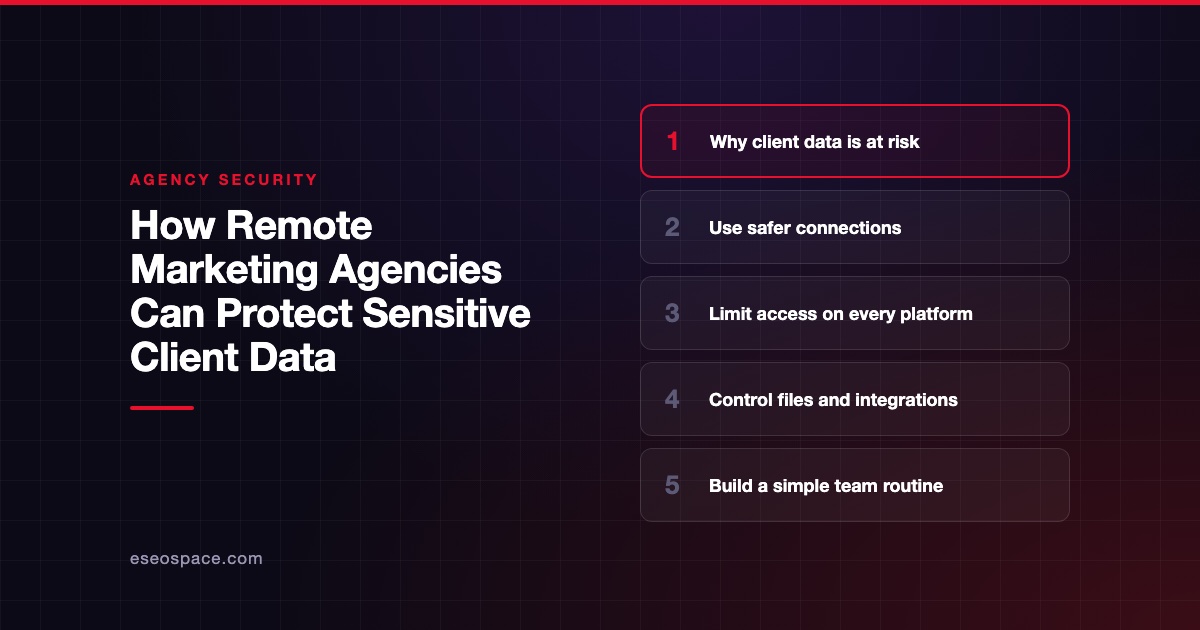
Secure Internet Connections When Working Remotely

Remote marketing professionals need reliable internet access. But a connection that's convenient isn't automatically one you should trust.
Whether your team works from home, a coffee shop, or a hotel, it's worth understanding how different networks affect online privacy.
For employees who frequently use unfamiliar Wi-Fi networks, choosing the best VPN for their needs can add a useful layer of protection. A VPN encrypts traffic between a device and the VPN provider's server, making it harder for someone monitoring the local network to inspect that traffic.
This is especially relevant when employees move between locations throughout the day.
However, a VPN isn't a replacement for secure websites, strong authentication, or company-approved remote access systems. HTTPS still plays an essential role in protecting information exchanged with websites, while multi-factor authentication helps defend accounts against unauthorized logins.
A VPN also doesn't automatically make a compromised device safe.
So what should your agency prioritize?
Start by making sure team members recognize suspicious networks. A Wi-Fi hotspot with a familiar-looking name isn't necessarily operated by the business it claims to represent. Employees should verify network details when possible and avoid dismissing browser security warnings.
For particularly sensitive tasks, a trusted mobile hotspot may be preferable to an unfamiliar public network.
It's also worth setting clear expectations about which tools employees can use. If your agency requires access to internal systems through an organization-managed VPN or another secure access solution, that policy should take priority.
The goal isn't to make remote work difficult. It's to help employees make safer connection choices without having to become cybersecurity experts.
Strengthen Access Controls Across Marketing Platforms
Here's an uncomfortable question: how many people still have access to your agency's client accounts?
If you can't answer confidently, it's probably time for an access review.
Marketing agencies often accumulate permissions as projects evolve. New employees join, freelancers receive temporary access, and outside specialists are invited into advertising platforms or analytics dashboards.
Over time, those permissions can become difficult to track.
Imagine hiring a freelance PPC specialist for a three-month campaign. You give them access to a client's advertising account, the project ends successfully, and everyone moves on.
Six months later, that freelancer still has access.
Nothing malicious has happened, but you've created an unnecessary security risk.
The simplest solution is to follow the principle of least privilege: give people only the access they need to perform their responsibilities.
Your content writer probably doesn't need administrator access to a client's advertising account. Likewise, someone preparing a monthly analytics report may only need permission to view performance data, not modify account settings.
Many marketing platforms support different access levels. Use them.
Google Ads, Google Analytics, and other common SaaS tools offer account management features that can help agencies separate administrative responsibilities from routine tasks.
Authentication matters just as much as permissions.
Every employee should use unique passwords, ideally generated and stored in a reputable password manager. Reusing the same password across several business platforms creates unnecessary exposure if one set of credentials is compromised.
Multi-factor authentication should also be enabled wherever it's available. Authenticator apps, passkeys, and security keys can provide stronger protection than relying on passwords alone.
Avoid sharing a single login among several employees. Individual accounts make it easier to identify who has access, manage permissions, and revoke credentials when necessary.
Finally, schedule regular permission reviews.
You don't need an elaborate compliance program to get started. A simple monthly check of client accounts, authorized users, and connected applications can reveal forgotten access before it becomes a larger problem.
Protect Client Files and SaaS Workflows
Most remote marketing agencies depend on cloud software to keep projects moving.
That's not inherently a problem. Modern SaaS platforms make collaboration easier, especially when team members work across multiple locations.
The challenge is making sure convenience doesn't undermine security.
Consider a typical content marketing project.
A client shares campaign briefs, product information, brand assets, and customer research. Your team stores these materials in a shared folder and invites designers, writers, and account managers to collaborate.
Without clear access rules, that folder might eventually contain sensitive information available to people who no longer need it.
One useful habit is to organize shared files by client and project, rather than placing everything inside a single agency-wide workspace.
Give employees access to the specific folders they need, and review external sharing permissions before distributing confidential material.
Be especially careful with publicly accessible links. A document configured so that anyone with the link can view it may be easier to share, but it's often inappropriate for sensitive client information.
For confidential files, use restricted sharing, approved recipients, and the security controls provided by your collaboration platform.
Third-party SaaS integrations deserve similar attention.
Marketing teams frequently connect analytics platforms, CRM systems, automation software, and reporting tools. These integrations save time, but they may also receive permission to access or modify business data.
Before connecting another tool, check what information it requests, whether that access is necessary, and whether the vendor is trustworthy.
An integration that was useful during a past campaign shouldn't automatically retain access forever.
Data retention is another overlooked issue.
If a project has ended and your agency no longer needs certain customer records, keeping unnecessary copies creates additional exposure. Establish clear retention practices based on client agreements and applicable legal requirements.
Backups matter, too. Important project files should be recoverable if a device fails, an account becomes inaccessible, or someone accidentally deletes essential information.
Good SaaS security isn't about using fewer tools at all costs. It's about knowing which tools hold client information, who can access them, and how that access is controlled.
Build a Simple Security Routine for Your Remote Team
Security policies often fail for a surprisingly ordinary reason: they're too complicated for people to follow consistently.
If protecting client information requires employees to remember twenty different rules before opening a campaign dashboard, some steps will eventually be skipped.
A better approach is to make basic security practices part of your team's everyday routine.
Start with employee onboarding.
When someone joins your agency, they should receive clear guidance on password management, approved SaaS tools, secure file sharing, and reporting suspicious activity.
Explain which devices can be used for client work and what security settings are expected.
For example, employees should keep operating systems and browsers updated, enable automatic screen locking, and use full-disk encryption where supported.
These precautions reduce everyday risks without creating unnecessary interruptions.
Network security should be included in the same conversation.
Before traveling or regularly working from public locations, employees can download a VPN from a trusted provider's official website and configure it according to the agency's security policy.
Setting up essential security tools before leaving a trusted network is generally easier than trying to troubleshoot installations in an unfamiliar location.
But remember that employees still need to follow other security practices. VPN protection doesn't prevent phishing attacks, eliminate malware, or guarantee that every online service is trustworthy.
Beyond software, establish a few practical expectations.
Employees should know how to report suspicious emails, unexpected authentication requests, lost devices, or accidental file sharing.
Just as importantly, they should feel comfortable raising concerns quickly rather than worrying about being blamed for making a mistake.
A delayed report can turn a manageable issue into a more serious incident.
Offboarding deserves equal attention.
When an employee or freelancer leaves, promptly remove access to client dashboards, shared folders, password management systems, and agency communication platforms.
If external contractors used shared credentials that couldn't be individually revoked, rotate those credentials and move toward individual access wherever possible.
Finally, revisit your routine as the agency grows.
A five-person team may manage security differently from an agency with fifty employees, but the underlying principles remain the same.
Keep the process understandable, repeatable, and realistic for how your employees actually work.
Common Data Security Mistakes Marketing Agencies Should Avoid
Even agencies with good intentions can develop risky habits.
The problem usually isn't that employees don't care about security. More often, they're trying to finish work quickly and choose the easiest available option.
Take password sharing.
An account manager needs a colleague to review a campaign urgently, so they send login details through a messaging app.
It seems harmless, especially when both employees work for the same agency.
But that message may remain accessible long after the immediate task is complete. It also becomes harder to track who has access to the account.
Whenever possible, grant individual permissions instead of distributing passwords.
Another common mistake is giving contractors more access than necessary.
A freelance designer working on landing page graphics shouldn't automatically receive full access to the client's CMS, CRM, and advertising platforms.
Permissions should reflect the actual assignment, not the convenience of granting broad access.
Software updates are another easy thing to postpone.
Marketing professionals depend on browsers, plugins, desktop applications, and collaboration tools throughout the day. Delaying security updates can leave known vulnerabilities unaddressed.
Where practical, enable automatic updates and maintain a process for checking software that requires manual attention.
Agencies should also be cautious about unfamiliar browser extensions and third-party marketing tools. A useful-looking plugin isn't worth installing without reviewing its permissions and credibility.
Perhaps the biggest misconception is assuming that one security product can solve every problem.
A VPN helps protect network traffic along a specific part of its route. A password manager helps employees maintain unique credentials. MFA adds another barrier against unauthorized account access.
Each tool addresses different risks.
Strong client data protection comes from combining these measures rather than depending entirely on any single one.
Final Thoughts: Make Client Data Security Part of Everyday Work
Running a successful remote marketing agency requires more than delivering strong campaign results.
It also means protecting the information clients trust you to manage.
Fortunately, better security doesn't have to come at the expense of productivity.
Start with the fundamentals: secure network connections, individual account access, strong authentication, controlled file sharing, and clear expectations for employees and contractors.
Then make those practices part of your normal workflow.
Review permissions when projects change. Remove access when people leave. Keep devices updated. Encourage employees to report unusual activity early.
None of these habits is particularly complicated, but consistency makes a difference.
The agencies that handle client information responsibly aren't necessarily the ones with the most expensive security software. They're the ones that understand their risks and take practical steps to manage them.