



Link Building SOP for Agencies: Roles, QA Checks and Turnaround Times
Link Building SOP for Agencies: Roles, QA Checks and Turnaround Times
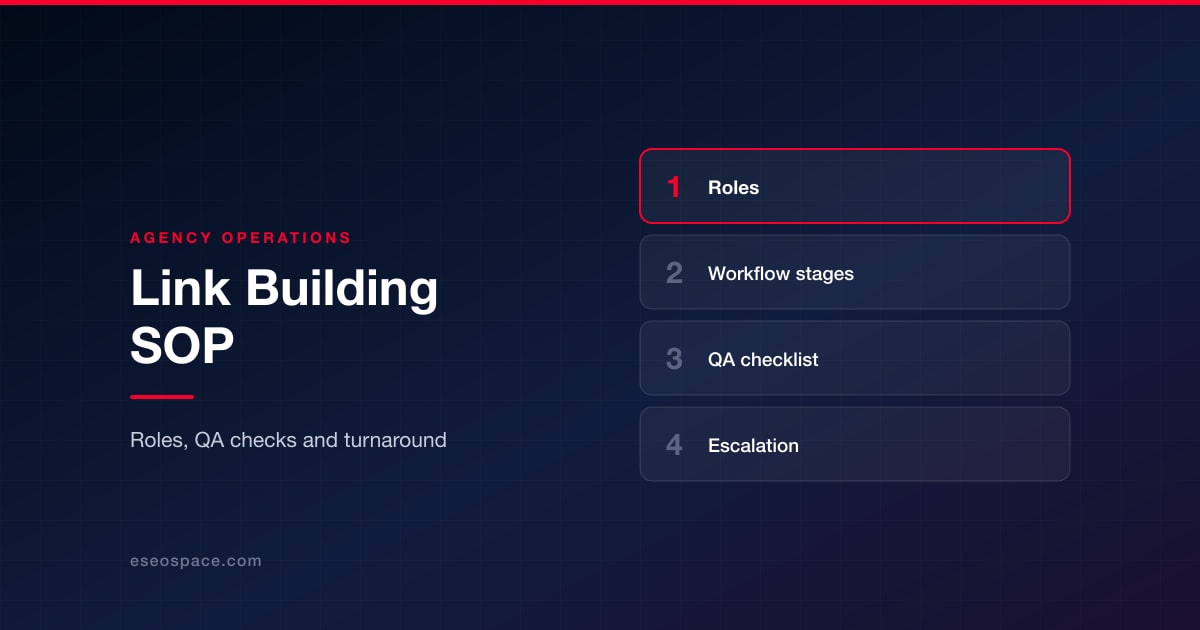
A link building SOP is a written process that says who does each step, what "done" means at every stage, and which checks a link must pass before it reaches a client report. Agencies need one because link building involves several hands (strategy, prospecting, outreach, writing, QA, account management), and without clear handoffs quality depends on whoever happens to be working that week.
Below is the SOP structure our team uses, written so you can adapt it. It covers roles, the stage-by-stage workflow with entry and exit criteria, a QA checklist, how to set turnaround expectations, tooling, documentation, escalation and continuous improvement.
Key Takeaways
- Assign six roles, even if one person covers several: strategist, prospector, outreach specialist, writer/editor, QA reviewer and account manager.
- Give every stage an entry criterion and an exit criterion so work cannot move forward half-finished.
- No link is reported until it passes a written QA checklist, including the correct rel attribute.
- Turnaround times should be planning ranges your own team sets from its data, not borrowed industry numbers.
- Document every decision in one shared link log so reporting, audits and staff changes do not lose history.
- Review the SOP quarterly using your own acceptance, rejection and link-loss data.
Why an Agency Needs a Link Building SOP
Link building fails quietly. A prospector adds a site that sells posts to anyone, an outreach specialist agrees to an exact-match anchor, a writer ships a thin article, and nobody notices until a client's profile looks manipulated. An SOP puts a checkpoint between each of those mistakes and the client.
It also keeps you inside Google's rules. Google's spam policies name buying links for ranking, excessive link exchanges and links with optimized anchors in guest posts or advertorials as link spam. A good SOP makes those policies operational: they become checks someone signs off, not guidelines someone read once. For the strategic side (which tactics to pick for which clients), see our overview of link building strategies.
Roles and Responsibilities
Small agencies combine roles. That is fine, as long as the QA reviewer is never the person who built the link.
- Strategist: sets target pages, link types and campaign angles per client; approves prospect criteria; owns the monthly plan.
- Prospector: finds and qualifies sites against the strategist's criteria; records why each site fits.
- Outreach specialist: writes and sends pitches, manages follow-ups, negotiates placement details, logs every response.
- Writer/editor: produces guest contributions, data assets or expert quotes to the host site's standards.
- QA reviewer: checks every live link against the checklist before it is reported.
- Account manager: sets client expectations, gathers approvals, delivers the report, handles escalations.
The SOP: Stage-by-Stage Workflow
Each stage lists its owner, what must be true before it starts (entry) and what must be true before it ends (exit).
- Client intake (account manager). Entry: signed scope. Exit: documented goals, target pages, brand and compliance restrictions, any sites the client will not appear on, approval contacts, and a baseline from Search Console and GA4.
- Strategy (strategist). Entry: completed intake. Exit: a written plan listing target pages, link types (digital PR, resource pages, expert contributions, broken link replacement), campaign angles and prospect criteria. Client approves the plan.
- Prospecting (prospector). Entry: approved criteria. Exit: a qualified list where each site has a relevance note, evidence of real traffic, a named contact and no signs of selling links to all comers. Our step-by-step link prospecting workflow covers the qualification tests in detail.
- Prospect review (strategist). Entry: qualified list. Exit: approved and rejected sites marked, with reasons for each rejection saved for future prospecting.
- Outreach (outreach specialist). Entry: approved prospects and pitch angles. Exit: every contact logged with status (sent, followed up, replied, declined, agreed). Pitches are personalized, and follow-ups stop after the agreed number. Our outreach email templates that still get replies are a starting point.
- Content production (writer/editor). Entry: agreed placement and brief. Exit: a piece that meets the host's guidelines, links only where it helps the reader, and uses a natural anchor chosen to fit the sentence.
- Placement confirmation (outreach specialist). Entry: content delivered. Exit: live URL received and recorded in the link log.
- QA (QA reviewer). Entry: live URL in the log. Exit: all checklist items pass, or the link is sent back with a named fix.
- Reporting (account manager). Entry: QA-passed links. Exit: client report delivered with per-link proof and outcome data. Our guide to reporting link building with KPIs that matter more than DA has the template.
- Monitoring (QA reviewer). Entry: reported links. Exit: monthly recheck recorded; removed or changed links escalated to outreach for recovery.
The QA Checklist Before a Link Is Reported
This checklist is the core of the SOP. A link that fails any required item is not reported until it is fixed.
| Check | How to verify | Pass condition |
|---|---|---|
| Live | Load the URL; confirm status code and that the link is present in the page source | 200 status, link present and clickable |
| Eligible for indexing | Check for a noindex meta tag or header, robots.txt blocks, and a canonical pointing elsewhere | Page can be indexed and is not canonicalized away |
| Correct rel attribute | Inspect the <a> tag | Paid or exchanged placements carry sponsored or nofollow; editorial links as the host chose |
| Relevant | Read the page and the site's recent content | Topic fits the client's subject and audience |
| Not a paid-post farm | Look for "write for us" price lists, unrelated topics, many outbound commercial links per post | Site publishes for its own readers |
| Anchor natural | Read the sentence containing the link | Anchor fits the sentence and is not a repeated exact-match phrase |
| Target correct | Click through | Points to the agreed client URL, no redirect chain or typo |
| Disclosure | Check sponsored content labeling where relevant | Paid content is clearly disclosed to readers |
Two notes on the rel check. Google's guide to qualifying outbound links says to mark advertisements and paid placements with sponsored, user-generated content with ugc, and to use nofollow when the others do not apply. And any link your agency paid for, directly or through a vendor, belongs in the paid category regardless of what the host calls it.
Turnaround Times: Set Planning Ranges From Your Own Data
There is no reliable industry benchmark for how long a link takes. It depends on the niche, the link type and how many editors are on holiday. What an SOP needs are planning ranges your team sets, reviews and communicates. Here is how to build them:
- Time each internal stage. Intake, strategy, prospecting, prospect review, content production and QA are under your control. Measure how long they take across your last few campaigns and set a range per stage.
- Separate what you control from what you do not. Editor response time and publishing schedules belong to the host site. Plan for them as a range with a clear "waiting on third party" status rather than a promise.
- Set service levels for your own actions. For example, a rule that every positive reply gets an answer within one business day, or that QA runs within two business days of a link going live. Choose numbers your team can actually keep.
- Tell clients the range, not a date. The account manager shares planning ranges at kickoff and reports against them monthly.
Tooling
The SOP should name the tool for each job so work does not scatter across inboxes and spreadsheets:
- Link log: a shared sheet or database with one row per prospect and per live link. This is the source of truth.
- Prospecting and backlink data: one or two third-party backlink tools. Remember their authority scores are their own estimates, not Google data.
- Outreach: a sending tool that tracks threads and stops sequences on reply. Authenticate sending domains with SPF and DKIM, which Google's email sender guidelines require for all senders to Gmail, and keep volume personal rather than bulk.
- First-party data: Google Search Console and GA4 access for every client.
- Link monitoring: a crawler or monitor that rechecks status, presence, target and rel attribute monthly.
Outreach email is still email. Follow the basics of the FTC's CAN-SPAM compliance guide, which makes no exception for business-to-business messages: accurate headers and subject lines, a valid postal address, a working opt-out, and opt-outs honored within 10 business days.
Documentation
Every decision should leave a trace in the link log or the client folder:
- Why each prospect was approved or rejected.
- Pitch copy and the full reply thread for each placement.
- Any payment, fee or exchange, and the rel attribute agreed as a result.
- QA results, including who checked and when.
- Monthly recheck results and recovery attempts.
This record protects the client if a link is ever questioned, and it protects the agency when staff change. If you deliver links under another agency's brand, the same log is what lets them answer their client's questions; our guide to white-label link building without risking client sites explains what resellers should demand.
Escalation
Write down what triggers an escalation and who handles it:
- A host asks for payment or a link exchange: outreach escalates to the strategist, who decides whether the placement is worth it as a disclosed,
sponsoredlink or should be declined. - A link fails QA and the host will not fix it: the link is not reported and the site is flagged in the log.
- A client asks for exact-match anchors or unlabeled paid links: the account manager explains the policy risk in writing and the strategist proposes an alternative.
- A reported link disappears: outreach contacts the site; if it is not restored, the account manager applies the replacement terms in the contract.
- A manual action or sudden ranking drop: the strategist reviews recent links first and pauses new placements until the cause is clear.
Continuous Improvement
Review the SOP every quarter with data from your own log: reply and acceptance rates by pitch angle, QA failure reasons, link-loss rate by site type, and actual stage times against your planning ranges. Change one thing at a time, note the change and the date in the SOP, and compare the next quarter. The small-business view in our complete link building guide for 2026 is a useful reference when you adapt the process for smaller clients with tighter budgets.
Agencies comparing outsourced link building services can also use this SOP as a vendor questionnaire: ask each provider to show their QA checklist, their rel attribute policy and a sample link log. If you would rather have the whole process run for you, eSEOspace's link building service works from this SOP, with reports your team can verify link by link.
Frequently Asked Questions
How many people does a link building team need?
The SOP needs six roles, not six people. One person can cover strategy and account management, and another prospecting and outreach. The one rule we keep is that nobody QA-checks their own links.
How long should a link building campaign take?
There is no standard answer. Build planning ranges from your own stage timings, separate what you control from host response times, and share ranges rather than fixed dates with clients.
Should the SOP allow paid placements?
Paid placements are allowed under Google's policies only when the link is qualified with rel="sponsored" or nofollow. If your SOP permits them, make the rel check mandatory in QA and disclose the payment in the link log.
What is the most common reason links fail QA?
That depends on your prospect sources, which is why the SOP asks you to log failure reasons. Track them for a quarter and fix the stage that produces the most failures.
Put this into action with eSEOspace
We help businesses grow with website development that actually performs. Explore the services behind this guide:
Get a FREE Audit
We'll perform a comprehensive SEO, AEO, GEO & CRO audit of your website — completely free — and show you exactly how to outrank your competitors.
Don't have a site yet? Get in touch →
Get a FREE GEO/AEO/SEO Audit
We'll analyze your site's SEO, GEO, AEO & CRO — completely free — and show you exactly how to get found across Google and AI answers.
Don't have a site yet? Get in touch →
Great — your audit is on the way!
We'll send your free SEO/GEO/AEO/CRO audit within the next few hours. Where should we send it?
You're all set! ✓
Your free audit is being prepared — check your inbox in the next few hours. Talk soon!








