Shredding every retired hard drive is not the safest policy a business can have, even though it is often treated that way. It is the simplest policy to write down, and it feels final, but it sends a lot of perfectly usable drives to the shredder that a verified wipe would have made just as safe, and it can leave a company with a false sense of security about the drives it handles before they ever reach the shredder, which is the part of hard drive destruction people tend to forget.
The scale of the waste is not small. According to the Global E-waste Monitor 2024, the world generated 62 million tonnes of e-waste in 2022, and only 22.3% of it was documented as collected and recycled through proper channels. A shred-everything rule adds to that pile without making most of the data any safer.
That said, there is a set of drives where hard drive shredding is the only answer that makes sense, and where wiping would be a real risk. The useful work is figuring out which drives belong in which pile, and that comes down to a handful of questions.
What Wiping, Shredding, and Degaussing Actually Do
If you are writing a disposal policy for the first time, it helps to be precise about the three methods, since people tend to use the words loosely.
- Data wiping: software or a drive's built-in sanitize command overwrites or erases every addressable area of the drive, so the data cannot be read back, and the drive itself can then be reused, redeployed, or resold.
- Hard drive shredding: an industrial shredder physically breaks the drive (platters, circuit boards, and memory chips) into small pieces, which makes the data unrecoverable and also ends the drive's life as a working device.
- Degaussing: a strong magnetic field scrambles the magnetic domains on hard disk platters or tape, which erases the data and usually leaves a hard drive unusable afterwards; it does nothing to SSDs or other flash storage, because flash does not store data magnetically.
Shredding vs Wiping vs Degaussing at a Glance
| Factor | Data wiping | Hard drive shredding | Degaussing |
|---|---|---|---|
| Works on HDDs | Yes | Yes | Yes |
| Works on SSDs and flash | Yes, with the right sanitize command | Yes, if the shred size is small enough | No |
| Works on failed or damaged drives | No, the drive has to respond | Yes | HDDs and tape only |
| Drive can be reused afterwards | Yes | No | Rarely |
| How you prove it worked | Verification report per serial number | Certificate of destruction per serial number | Certificate, but no easy visual check |
| Environmental impact | Lowest, the drive stays in use | Higher, the drive becomes scrap for recycling | Higher, the drive is usually scrapped |
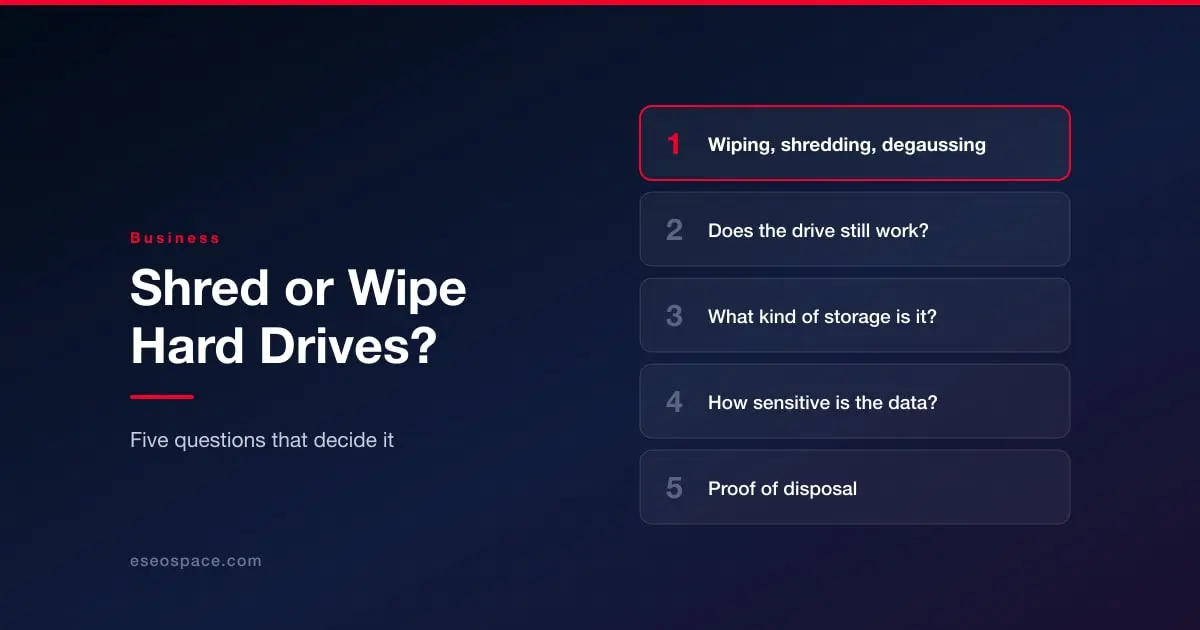
Five Questions That Decide It
If you run each batch of retired drives through the questions below, in order, most of the decisions about hard drive shredding versus wiping make themselves.
1. Does the drive still work?
If a drive will not spin up, will not mount, or throws errors during the wipe, it should go to the shredder. Wiping software can only erase what the drive lets it reach, and a drive that fails halfway through a wipe may still hold readable data on the sectors that were never touched. A failed drive is the clearest case for hard drive shredding there is, and it is also the case that most often gets mishandled, since dead drives tend to end up in a box in a closet for years.
2. What kind of storage is it?
Spinning hard drives, SSDs, and tape all behave differently, so the method has to match the media.
For HDDs, a full verified overwrite is reliable, and so is shredding. For SSDs it is more complicated. A well-known study from the USENIX FAST 2011 conference found that the built-in sanitize commands on SSDs are effective but that manufacturers sometimes implement them incorrectly, and that none of the file-level erasure techniques built for hard drives worked on SSDs.
In practice, this means an SSD wipe has to use the drive's own sanitize or crypto erase command and has to be verified, and if you cannot verify it, the drive should be shredded. For tape, degaussing erases the data reliably, but modern formats such as LTO carry factory-written servo tracks that degaussing also wipes, so a degaussed LTO cartridge cannot be reused. Plan on degaussed tape going to recycling, not back into the library.
3. How sensitive is the data, and what does your regulator expect?
Most US privacy rules do not tell you which method to use. They tell you what the result has to be. The FTC's Disposal Rule, for example, requires businesses that hold consumer report information to take reasonable measures so that electronic media is destroyed or erased and the information "cannot practicably be read or reconstructed" (16 CFR 682.3). HIPAA, GLBA, and similar rules work in roughly the same way.
So the legal question is not "did you shred?" but "can you show the data is gone?" Where shredding earns its place is with the most sensitive data (patient records, payment data, trade secrets, anything covered by a contract that names physical destruction), because the risk of a single wipe that did not complete is too high to accept. A reasonable threshold for many companies is to wipe general office laptops and shred anything that held regulated or highly confidential data.
4. Is there a reason to keep the drive?
A working enterprise drive that is two or three years old still has a useful life. It can be redeployed internally, returned at the end of a lease, or sold to recover part of the cost of the refresh. Hard drive shredding throws all of that away, and it adds one more item to the e-waste numbers mentioned above. If the drive works, the media is a type that wipes reliably, and the data is not in the highest sensitivity tier, wiping is usually the better choice for both the budget and the environment.
5. Can you prove what happened to it afterwards?
This question applies to both methods, and it is where many disposal programs fall short. A wipe should produce a verification report tied to each drive's serial number. A shred should produce a certificate of destruction that lists the same serial numbers.
If you look for a published reference point, IEEE 2883-2022, the IEEE Standard for Sanitizing Storage, sets out methods for sanitizing both logical and physical storage, with requirements that are specific to each type of storage technology. NIST SP 800-88 Rev. 2 (September 2025), the federal guideline many disposal policies cite, focuses on setting up a media sanitization program, with techniques and controls matched to how sensitive the data is. Whichever method you choose, the record matters as much as the method, because the record is what an auditor will ask to see.
What a Good Hard Drive Shredding Job Looks Like
If you have gone through the questions and a set of drives clearly needs to be destroyed, the next risk is not the shredder. Shredders are very good at their job. The risk is the gap between the moment the drives leave your server room and the moment they are destroyed, as well as any gap in the paperwork afterwards.
A sound hard drive shredding process usually has these parts:
- Every drive is logged by serial number before it leaves your site, so there is a starting list to check the certificate against later.
- You choose between on-site shredding, where your own staff can watch the drives being destroyed, and off-site shredding at a secure facility, which is often more cost-effective for larger volumes, as long as the chain of custody is documented the whole way.
- The provider can tell you the shred output size and confirm that it is small enough for SSDs, since the memory chips on an SSD are small and a coarse shred can leave some of them intact.
- The certificate of destruction lists each drive by serial number, along with the method used and the date.
- The shredded material goes to a certified recycler, not to landfill.
Putting all of these steps together in one process is where many companies stall, and it is the reason a lot of them hand the job to a specialist. Big Data Supply, an R2v3 and RIOS certified IT asset disposition company, is one of the providers that runs hard drive shredding services this way: drives are logged by serial number, destroyed on-site with your team present or at its facility under a documented chain of custody, and each job closes with a certificate of destruction for your audit file, with the shredded material sent through R2v3-aligned recycling that keeps it out of landfill.
Because the same company also wipes and buys back working equipment, a business can send one mixed batch and have the failed and high-sensitivity drives shredded while the healthy ones are wiped and reused, which lines up closely with the decision process described above.
Where a Mixed Approach Makes Sense
For most companies with more than a few dozen drives, the answer is not one method but two. A typical split looks like this:
- Wipe and verify working drives that held general business data, then reuse or sell them.
- Send failed drives, drives that did not pass verification, and any drive that held regulated or highly confidential data to hard drive shredding.
- For the most sensitive drives, some organizations wipe first and then shred as well, so that the drive is already blank during transport.
This mixed approach is more work to set up than a single rule, but it is not much more work to run once the questions above are part of the normal refresh process.
Key Takeaways
- Hard drive shredding is the right choice for failed drives, drives that cannot be verified as wiped, and drives that hold regulated or highly confidential data.
- Verified wiping is usually the better choice for working drives with general business data, because the drive can be reused and nothing ends up as scrap.
- Degaussing only works on magnetic media (hard drives and tape) and does nothing to SSDs.
- SSDs need the drive's own sanitize command and verification, or a shredder with a small enough output size.
- Regulators mostly care about the result and the proof, so every drive should end up on a serial-numbered report or certificate, whichever method is used.