



How to Deindex the Old Site After a Rebrand
How to Deindex the Old Site After a Rebrand
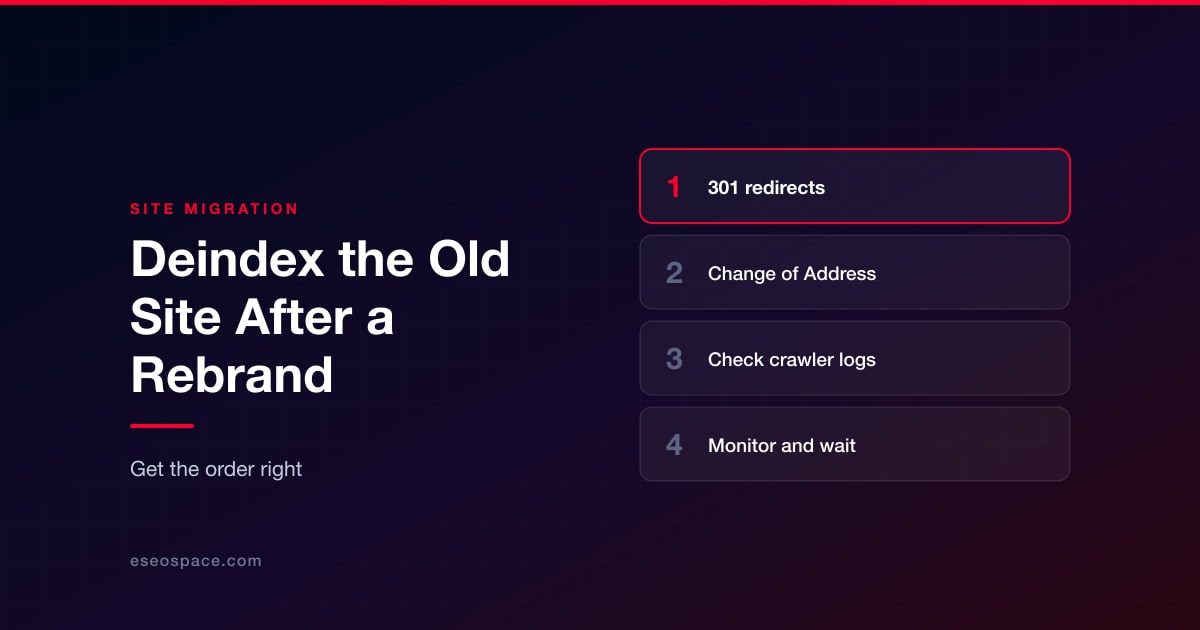
Deindexing an old site is an essential part of a rebrand. Unfortunately, old sites can often linger in search results for weeks or even months.
This leads to two problems:
- Your audience gets directed to your old (and maybe broken and outdated) sites. This can sour their impression of your business.
- The old pages actively compete with your new ones for the same queries, even occasionally outranking the new ones.
However, getting the old site out of the index isn't a matter of flipping a switch. It requires a proper step-by-step process, and getting the order wrong can lose you traffic during your rebrand.
Why the Old Site Sticks Around
Search engines don't drop a URL from the index the moment you stop updating it. Instead, Google has to perform the following tasks before it fully drops the old one:
- Recrawl the old page.
- See the redirect.
- Reassign ranking signals to the new destination.
That process is neither instant nor uniform across a site. Other pages, especially those with fewer internal links, might take weeks. Because Google processes URL changes individually, different pages may disappear from search results at different times.
As such, it’s important not to skip steps in the handoff. Otherwise, you likely end up with two sites competing for the same rankings, or an old domain outranking the new one simply because it still has more accumulated trust.
Step 1: Redirect Old URLs to New Equivalents
Map every old URL to its closest equivalent on the new site first with permanent 301 redirects. Avoid mass-redirecting everything to the new homepage to save time. While page-to-page mapping takes longer, it preserves far more value.
Note that you should use a 301, not a 302.
Step 2: Submit Change of Address Requests to Google
Once redirects are live and tested, go to Google Search Console, then submit a Change of Address request for every verified variant of the old domain.
This includes subdomains and www/non-www versions, even if you're not actively using these variants. For example: from us.bestsushi.com, www.bestsushi.com, and bestsushi.com to bestsushi.net.
This is what Google instructs in their Search Central documentation.
Step 3: Check Your Logs for Crawlers
Review your server logs in the next few weeks after launching the new domain. You need to check if Googlebot is visiting the old URLs and following redirects (and not going into errors).
Look out for crawlers that are behaving oddly. They might be pretending to be Googlebot but are actually spoofed bots from trackers or scrapers. Fortunately, Google publishes the IP ranges its crawlers use, so you can simply look up IP address ownership to confirm.
If it isn’t Googlebot, block it or rate-limit as necessary.
You should see a steady decline in requests to the old URLs in the following weeks. This is a sign that you’ve successfully made Google recognize that your domain has moved and is shifting crawl budget to your new site.
However, a flat or rising number of requests may mean that something in the redirect setup still needs fixing.
Step 4: Keep Monitoring and Stay Patient
One industry research found that it takes an average of 523 days for the new domain to match the old one's organic traffic—longer than many site owners expect when performing their first migration. In fact, 17% of new sites may not even fully recover even after 1000 days.
So the lesson here is to simply stay patient. Keep redirects live and avoid tearing down the old infrastructure for at least 12 months, and keep monitoring both properties in Search Console.
Common Mistakes to Avoid
In addition to the steps above, here are some of the most common mistakes to avoid when performing site migrations:
- Using 302s instead of 301 redirects. A 302 tells Google the move might only be temporary, while a 301 tells Google it’s permanent.
- Using robots.txt to block the old site. This stops Google from crawling the old pages, so it never sees your 301 redirects.
- Relying on the Removals tool as your main deindexing method. It only hides a URL temporarily and expires after six months. Use it only for emergencies, like an old and sensitive page you don’t want anyone to see.
- Submit a Change of Address for only the main domain. You must do it for every verified subdomain and www/non-www variant too.
- Leaving your sitemap and internal links pointing to old URLs. This slows down how fast Google shifts its attention to the new site.
Avoid these, and the old site slowly but surely fades from search results. If you skip a step or make a mistake, your new site might not receive the same amount of traffic as your old site, no matter how much better the new one is.
Put this into action with eSEOspace
We help businesses grow with website development that actually performs. Explore the services behind this guide:
Get a FREE Audit
We'll perform a comprehensive SEO, AEO, GEO & CRO audit of your website — completely free — and show you exactly how to outrank your competitors.
Don't have a site yet? Get in touch →
Get a FREE GEO/AEO/SEO Audit
We'll analyze your site's SEO, GEO, AEO & CRO — completely free — and show you exactly how to get found across Google and AI answers.
Don't have a site yet? Get in touch →
Great — your audit is on the way!
We'll send your free SEO/GEO/AEO/CRO audit within the next few hours. Where should we send it?
You're all set! ✓
Your free audit is being prepared — check your inbox in the next few hours. Talk soon!








