



WordPress vs Framer: Which Should You Build On in 2026?
WordPress vs Framer: Which Should You Build On in 2026?
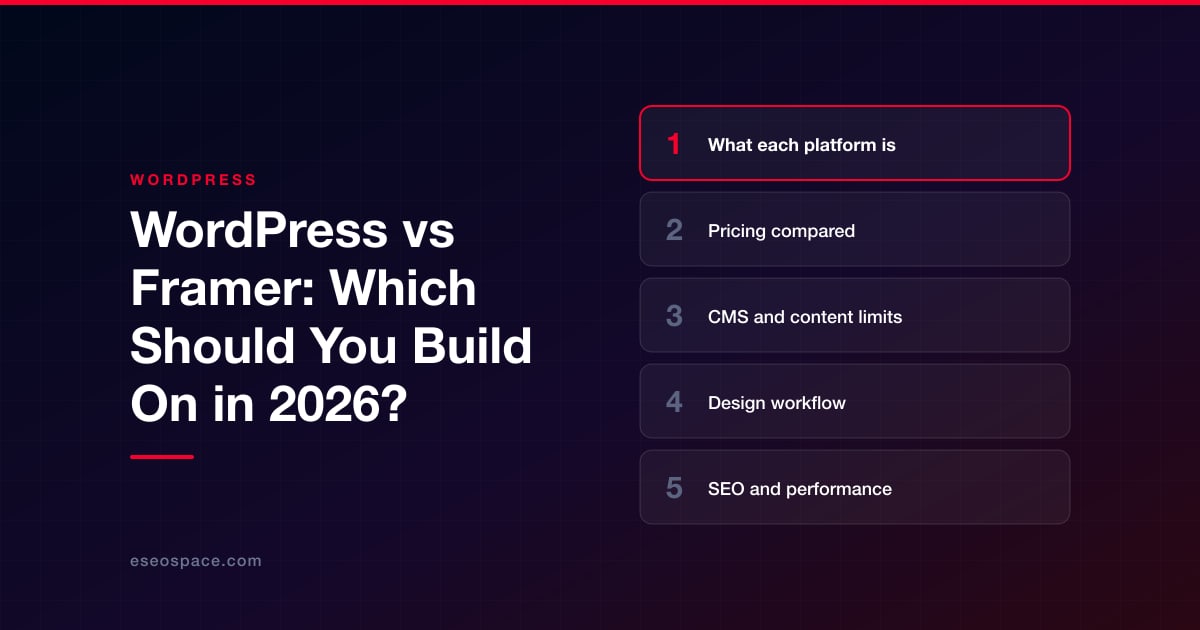
WordPress and Framer both build professional websites, but they start from opposite ends. Framer is a hosted, design-first website builder: you lay out pages on a visual canvas much like a design tool, and Framer hosts, optimizes and publishes the result. WordPress is open-source content management software that you install on hosting you choose, then extend with themes and plugins.
The short answer: Framer is usually the faster route to a polished marketing site, portfolio or landing page when a designer owns the site and the content stays modest. WordPress is usually the better fit when the site needs to grow into something larger, such as a big content library, a store, memberships, complex integrations or full ownership of the code and data.
The rest of this guide compares the two on price, CMS limits, design workflow, SEO, hosting, ecommerce and lock-in, using figures taken from each platform's own pages as of October 2026. If you want the broader background first, see our guide to what WordPress is.
Key Takeaways
- Framer's paid site plans start at $10 per month (Basic) and $30 per month (Pro) on yearly billing as of October 2026, with hosting, SSL and a CDN included.
- Framer sets hard plan limits on pages, CMS collections, CMS items and bandwidth (Pro tops out at 700 pages and 40,000 CMS items with add-ons), while self-hosted WordPress has no platform caps.
- Framer's canvas gives designers precise visual control and fast publishing; WordPress offers the block editor plus a huge plugin and theme ecosystem.
- Both handle core SEO well: Framer builds in meta tags, sitemaps, canonicals, redirects and structured data, and WordPress adds the same through core features and SEO plugins.
- Framer has no native store; selling products relies on marketplace plugins (often tied to Shopify or Stripe), while WordPress has WooCommerce.
- WordPress gives you full code and database ownership; Framer's help center says it does not offer HTML export for self-hosting, though CMS content can be exported via plugins.
What each platform is
Framer
Framer began as a prototyping tool and is now a website builder aimed at designers, marketing teams and agencies. You design responsive pages on a freeform canvas, add interactions and animations, store repeatable content in the Framer CMS, and publish to Framer's hosting. As of October 2026 Framer also leans heavily on AI: paid plans include monthly credits that power its Agents, AI translation and other AI features.
WordPress
WordPress is free, open-source software licensed under the GPL. The current release is WordPress 7.1.2 (22 September 2026), and according to W3Techs it runs 40.2% of all websites as of 1 October 2026. You choose the host, the theme and the plugins, and the WordPress.org directory lists more than 70,000 free plugins. That freedom means more decisions and more responsibility for updates and security.
Pricing compared
Framer prices per site, and each plan bundles hosting. WordPress itself costs nothing, so your bill is hosting plus any premium themes, plugins and developer time.
| Item (as of October 2026) | Framer | WordPress (self-hosted) |
|---|---|---|
| Software | Included in the plan | Free (GPL) |
| Entry paid plan | Basic: $10/month, billed yearly | Hosting from about $3 to $4/month on promotional multi-year terms (renewals are higher) |
| Growth plan | Pro: $30/month, billed yearly | Managed WordPress hosting from about $28 to $35/month at hosts such as WP Engine or Kinsta |
| Free option | Free plan on a Framer domain, which Framer calls ideal for non-commercial use | Software is free; you still need hosting (or a WordPress.com plan) |
| Extra editors | $20/month per editor; content editors $10/month; viewers free | Unlimited users and roles at no extra cost |
| Translation | $20 per locale per month, up to 20 locales | Free or paid multilingual plugins (for example Polylang free, WPML from €39/year) |
| Typical add-on costs | Extra pages, CMS collections, CMS items and bandwidth on Pro | Premium plugins and themes, commonly about $50 to $300 per year each |
Framer's figures come from its pricing page, which states that all prices are shown monthly and billed according to the cycle chosen at checkout, with sales tax added where applicable. A custom domain is complimentary on yearly paid plans. Enterprise pricing is custom.
For a small brochure site, Framer and budget WordPress hosting land in a similar range. The gap opens with team size and scale: Framer charges per editor and per locale, while WordPress costs rise with hosting tier, premium plugins and maintenance time. Our WordPress cost guide breaks down the WordPress side in detail.
CMS and content limits
This is the most important practical difference. Framer's CMS is capable: its CMS page lists rich field types (text, images, rich text, dates, references, colors, files, links, toggles), unlimited references between collections, dynamic filters, sorting, drafts, on-page editing and imports from CSV, Google Sheets and Airtable. But each plan has fixed limits.
| Framer plan limit | Basic | Pro | Pro maximum with add-ons |
|---|---|---|---|
| Site pages | 30 | 150 | 700 ($20 per 100 extra) |
| CMS collections | 2 | 10 | 40 ($40 per 10 extra) |
| CMS items | 1,000 | 2,500 | 40,000 ($20 per 10,000 extra) |
| Bandwidth per month | 50 GB | 100 GB | 2 TB ($40 per 100 GB extra) |
| Analytics history | 30 days | 90 days | 90 days |
| Staging and branching | No | Yes | Yes |
Enterprise plans have custom limits. Framer says that if you exceed a limit such as bandwidth, it allows the overage for one month and emails you to upgrade.
WordPress has no equivalent caps. Posts, pages, custom post types, taxonomies and users are limited only by your hosting and database. A blog with 5,000 articles or a directory with 50,000 listings is routine for WordPress on suitable hosting. If you expect content to keep growing for years, this is often the deciding factor.
Design workflow
Framer's main strength is the design experience. Designers work on a canvas with breakpoints, components, interactions and scroll animations, and what they draw is what publishes. There is no theme layer to fight, and Pro adds staging and branching with previews, so changes can be reviewed before they go live. Framer also offers AI agents that, according to its CMS page, can create CMS detail pages and map fields for you. For a team where a designer owns the website, this removes a developer hand-off.
WordPress offers more ways to build, which is both its strength and its learning curve. The block editor and full-site editing let you design templates visually, block themes control global styles, and WordPress 7.1 added responsive styling per screen size without custom CSS. Many sites use page builders such as Elementor, Divi or Bricks for canvas-like control. Developers can go further with custom themes and custom blocks. The trade-off is that design quality depends on the theme or builder you choose, and on how disciplined the build is.
Collaboration differs too. Framer lists live collaboration on design, content and publishing in its plans. WordPress core does not have real-time co-editing as of October 2026; it has Notes, which are asynchronous block comments. WordPress does have a mature roles system (Administrator, Editor, Author, Contributor, Subscriber) that costs nothing per seat.
SEO and performance
Older comparisons sometimes claim builder sites are weak for SEO. That is not a fair description of Framer in 2026. Its SEO page lists editable meta titles and descriptions (including CMS-driven ones), auto-generated sitemaps and robots.txt, canonical URLs, 301 redirects, JSON-LD structured data for articles, products and events, Open Graph images, and support for root files such as llms.txt. Site redirects are listed on the Pro plan.
WordPress covers the same ground through core (it has generated XML sitemaps since version 5.5 and supports clean permalinks) plus SEO plugins such as Yoast SEO, Rank Math and All in One SEO, which add schema controls, redirect managers, internal-linking aids and bulk editing. The difference is control versus convenience: Framer gives you a tidy built-in set, while WordPress lets you customize almost anything, including server-level redirects, headers and how every template outputs markup.
On speed, Framer handles performance for you: its hosting page describes global caching, image resizing to WebP and AVIF, Brotli and Gzip compression, and font optimization. WordPress can be very fast, but you earn it through good hosting, a lean theme, caching and image handling. WordPress 7.1 helps by processing images in the browser and adding native AVIF support. A heavy theme with dozens of plugins on cheap hosting will be slower than a Framer site, while a well-built WordPress site on quality hosting can match it.
Hosting, security and maintenance
With Framer, hosting is part of the product. According to Framer's hosting page, that includes free SSL, a global CDN (20 locations on Basic and 300+ on Pro, per the pricing page), DDoS protection, immutable deploys with rollbacks, and a stated 99.99% uptime. You never update software or patch plugins. The flip side is that you cannot choose your host, region or server configuration beyond what Framer offers; for example, custom headers, firewall rules and rewrites come with the Advanced Hosting add-on ($200 per month on Pro).
With WordPress, you choose everything, and you own the upkeep. Core, theme and plugin updates need attention, and the plugin ecosystem is the main security exposure: Patchstack's 2026 report found 11,334 new vulnerabilities in the WordPress ecosystem in 2025, 91% in plugins and only 6 in core. Managed WordPress hosting takes on much of this work. Our managed WordPress hosting guide and WordPress security guide explain how to keep that risk small.
Ecommerce, memberships and integrations
Framer does not include a native online store. Its marketplace offers third-party plugins that connect Framer pages to Shopify (syncing products and using Shopify checkout) or to Stripe-powered checkout pages. That works well for a brand site with a modest catalog, but your store logic, inventory and orders live in another platform with its own fees.
WordPress has WooCommerce, a free plugin with 7+ million active installs that W3Techs detects on 47.7% of e-commerce sites it can identify. Add-ons cover subscriptions, bookings, memberships (for example MemberPress), courses (LearnDash) and almost any CRM, email or ERP integration. If commerce, gated content or custom functionality is central to the business, WordPress is the more complete foundation.
Framer does offer a plugin API, a Server API and code components written in React, so developers can extend it. The scope is narrower than WordPress, where plugins can change almost any part of the system, including the database, admin and REST API.
Ownership, portability and lock-in
WordPress is the clear winner on ownership. You hold the code, the database and the files, and you can move to any host. Even if you later switch platforms, standard exports and the REST API make your content portable.
Framer's position is more nuanced, and its own help center reflects that. One article says published output is standard HTML, CSS, JavaScript and assets and that CMS content can be exported through plugins to CSV or JSON. Another states plainly that Framer does not offer HTML export for self-hosting, because features such as pre-rendering and image optimization depend on its hosting. In practice, you can take your content with you, but the site itself, its design and its editing environment stay in Framer. Rebuilding elsewhere means a redesign and a redirect plan; our guides to migrating Framer to WordPress and moving WordPress to Framer cover both directions.
Which should you choose?
Choose Framer if
- A designer or marketing team owns the site and wants to ship pages without developers.
- The site is a marketing site, startup site, portfolio or landing-page system with content well inside the plan limits.
- You value built-in hosting, performance and zero maintenance over deep customization.
Choose WordPress if
- You expect a large or fast-growing content library, many authors or many languages.
- You need a real store, memberships, courses, bookings or custom integrations.
- You want to own the code and data, choose your host and avoid per-seat or per-locale fees.
If you are also weighing other builders, see our comparisons of WordPress vs Webflow and WordPress vs Next.js, or start at the WordPress hub.
Conclusion
Framer is an excellent tool for design-led websites: fast to build, fast to load and free of maintenance, at a predictable monthly price. Its limits show up as sites grow, through page, CMS and bandwidth caps, per-editor and per-locale costs, no native commerce and no self-hosting. WordPress asks more of you in setup and upkeep, but it scales without platform caps and leaves you in full control. Match the platform to where the site will be in three years, not just to launch day. If WordPress is the right fit, eSEOspace can help you design and build the WordPress site.
Frequently asked questions
Is Framer cheaper than WordPress?
For a small site, they are similar. As of October 2026 Framer Basic is $10 per month and Pro $30 per month on yearly billing, with hosting included. WordPress is free, and entry hosting starts at a few dollars a month on promotional terms. Framer becomes more expensive with many editors, many locales or add-on limits; WordPress becomes more expensive with premium plugins, managed hosting and developer time.
Is Framer good for SEO?
Yes. Framer includes editable meta tags, sitemaps, robots.txt, canonical URLs, 301 redirects, structured data and fast hosting. WordPress offers more fine-grained control through plugins and custom code, which matters most for large or complex sites.
Can I export my Framer site and host it elsewhere?
Framer's help center says it does not offer HTML export for self-hosting, because its published sites rely on platform services. CMS content can be exported through plugins to CSV or JSON. Moving to another platform usually means rebuilding the design and setting up redirects.
How many CMS items can a Framer site have?
As of October 2026, Basic allows 1,000 CMS items in 2 collections and Pro allows 2,500 items in 10 collections. With add-ons, Pro can reach 40,000 items and 40 collections. Enterprise limits are custom.
Can I run an online store on Framer?
Not natively. Framer marketplace plugins connect your design to Shopify or to Stripe-based checkout pages. If ecommerce is central to your business, WordPress with WooCommerce or a dedicated commerce platform gives you more control.
Should I move from WordPress to Framer?
It can make sense for a design-led marketing site that has outgrown a heavy theme and does not need commerce or large content volumes. Check your page and post counts against Framer's limits first, and plan 301 redirects for every URL so you keep your rankings.
Put this into action with eSEOspace
We help businesses grow with website design that actually performs. Explore the services behind this guide:
Get a FREE Audit
We'll perform a comprehensive SEO, AEO, GEO & CRO audit of your website — completely free — and show you exactly how to outrank your competitors.
Don't have a site yet? Get in touch →
Get a FREE GEO/AEO/SEO Audit
We'll analyze your site's SEO, GEO, AEO & CRO — completely free — and show you exactly how to get found across Google and AI answers.
Don't have a site yet? Get in touch →
Great — your audit is on the way!
We'll send your free SEO/GEO/AEO/CRO audit within the next few hours. Where should we send it?
You're all set! ✓
Your free audit is being prepared — check your inbox in the next few hours. Talk soon!








