



9 Product Page SEO Mistakes Killing Your Sales
9 Product Page SEO Mistakes Killing Your Sales
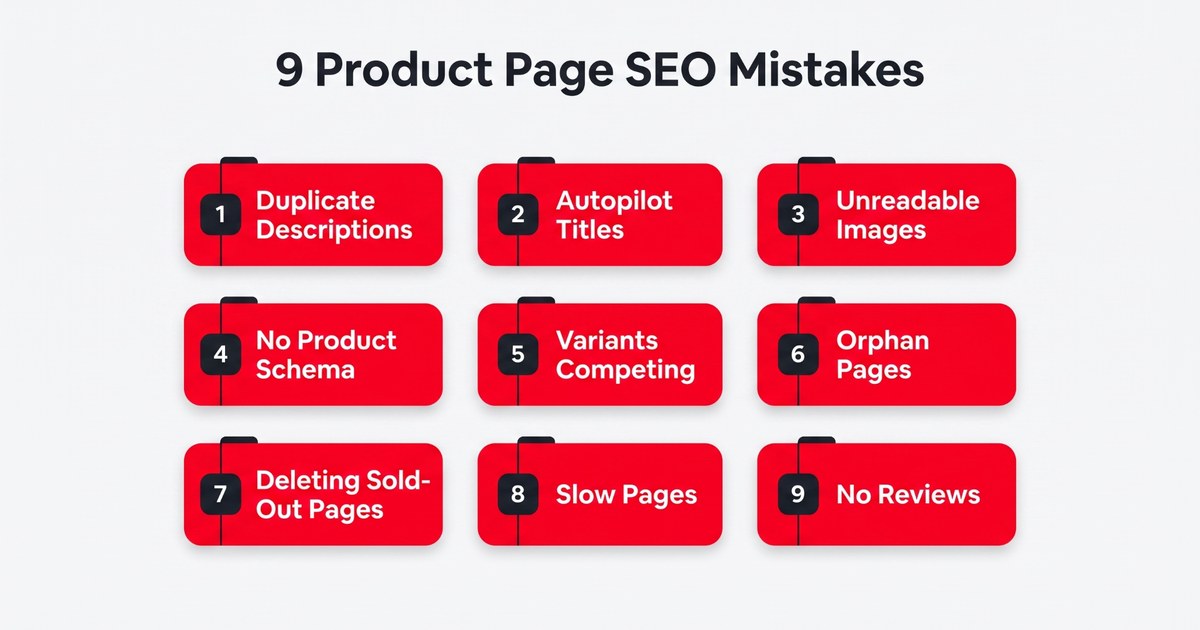
Product page SEO isn't really a traffic problem for most stores. It is a conversion problem they blame on traffic. People show up and look around, then leave without buying. And 9 times out of 10 it isn't bad luck – just a few fixable mistakes in how those product pages are built.
So we are going to show you the 9 that do the most damage, the ones that cost you sales and not just rankings. For each, you get why it hurts and how to fix it. Then a bit on what's changed in 2026, and how to decide which fix to do first.
What Product Page SEO Really Means and Why Mistakes Here Cost Sales
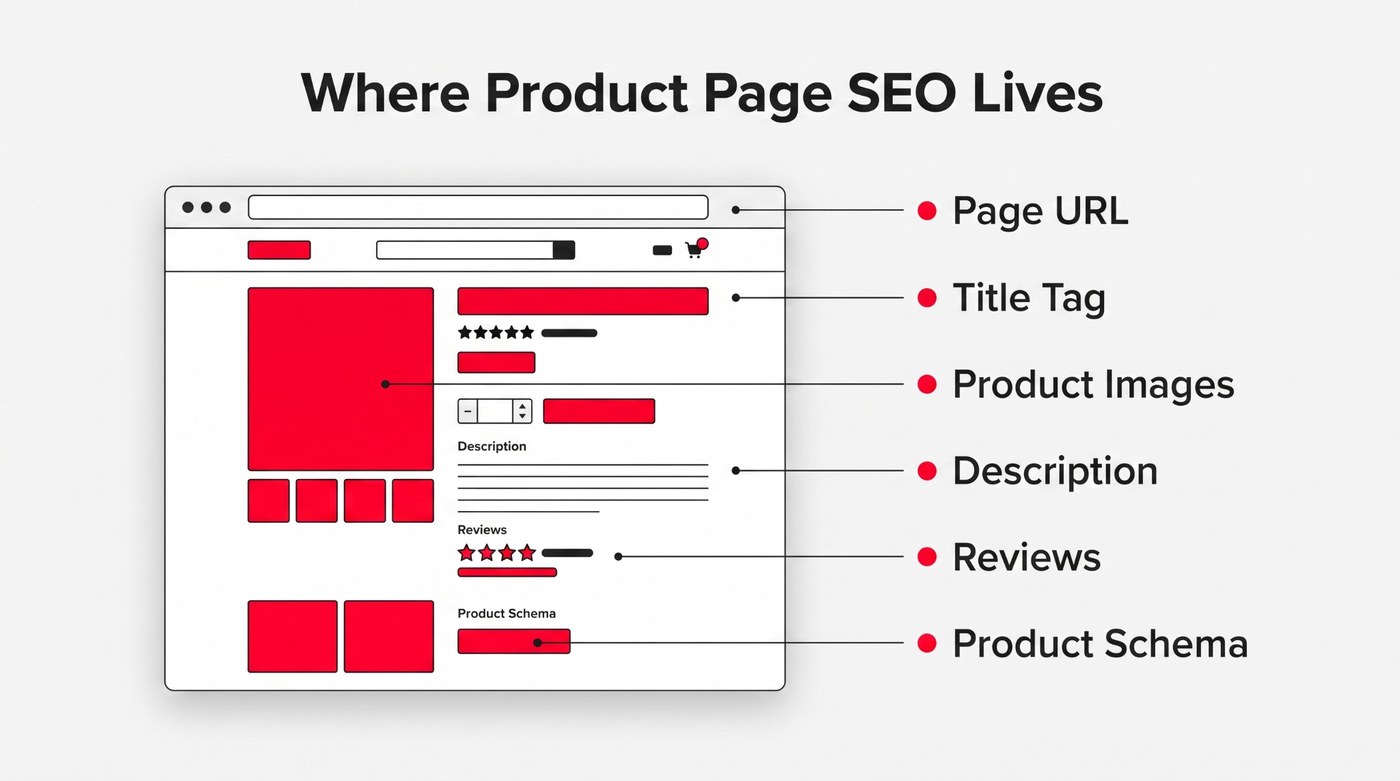
A quick bit of grounding before the mistakes, because product pages really don't behave like your other pages. They are where the buying happens, and that changes what good search engine optimization even looks like here.
Product Pages Carry the Buying Intent
Someone on a product page is usually way further along than a blog reader. They are comparing options and close to deciding, card practically in hand. So the page has two jobs at once: get found in search, then convince the person who clicks. Drop either one and the traffic was wasted.
They Are Built at Scale, So Small Mistakes Multiply
The tricky thing about optimizing product pages is how many there are. You might run 500, all from one template. So one flaw isn't a single mistake – it is 500 at once. Fix the pattern once, and every page improves. It is why a proper eCommerce SEO program works at the template level, not page by page.
Search Ranking and Converting Are Two Different Jobs
Ranking gets you seen. Converting gets you paid. Those are different skills, and a page can rank at the very top and still send people away empty-handed. Showing up simply isn't the same as being persuasive. The pages that truly sell are built around the buyer's decision, not just the keyword.
That distinction matters even more in categories where buyers need a little convincing before they spend. Take supplements, for example. Someone searching for a product isn't necessarily ready to buy the moment they land on the page. They may want to know whether the claims are credible and what evidence supports them. A page that answers those questions is doing much more than targeting a relevant keyword.
That is where this nootropic functional supplement brand provides a useful example. Its product page doesn't rely on a generic description and a big Buy Now button. It works through the questions a potential buyer is likely to have and uses specific explanations and references to clinical research to support its claims.
The approach is less about throwing information at the visitor and more about giving them enough context to make a confident decision. That is the standard worth aiming for. Get the page found, sure, but then give the person who arrives there a genuine reason to buy. A product page that only chases rankings is doing half the job, and it is usually the more expensive half you are neglecting.
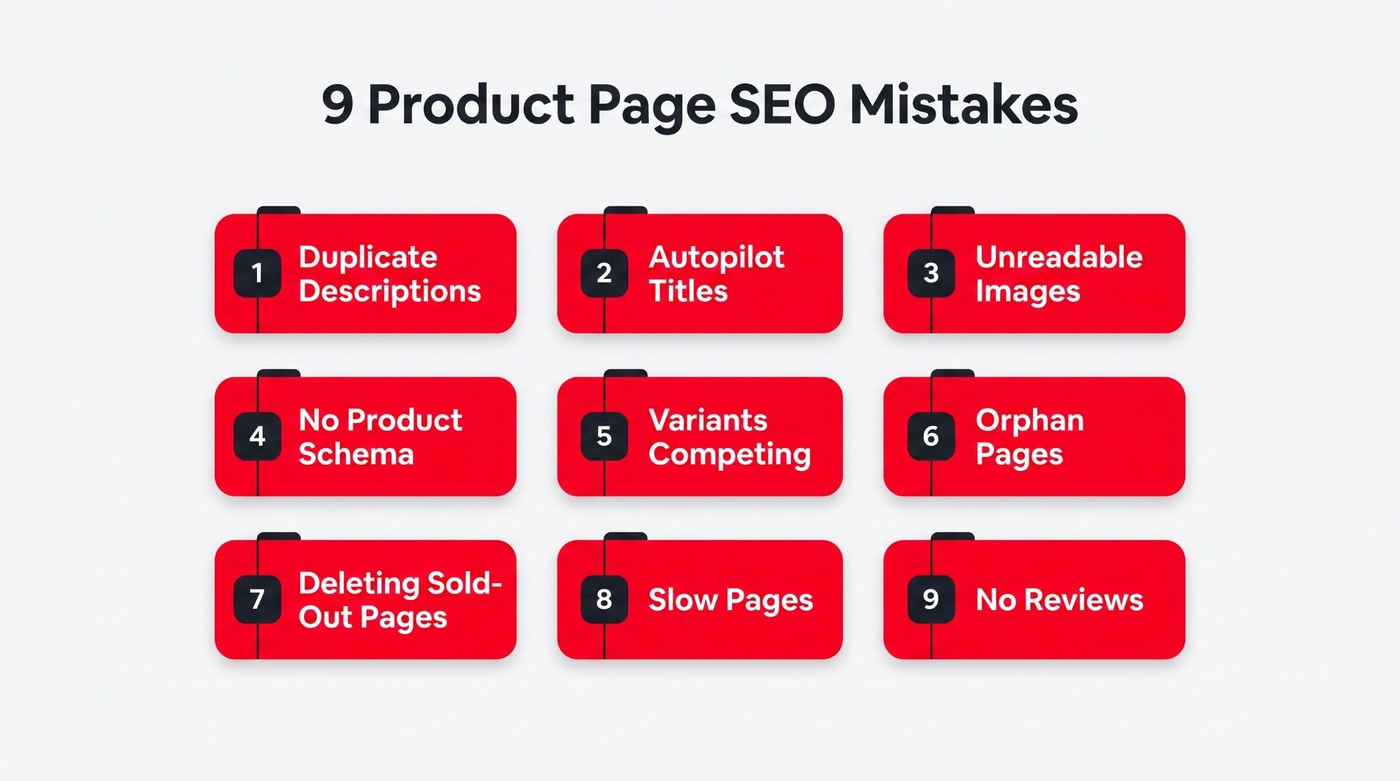
Right, the main event. These are the nine product page SEO mistakes we run into again and again, roughly ordered from most common to most missed. None of them overlap, so each fix you make closes a different leak in the same bucket.
1. Running the Manufacturer's Description Word-for-Word
This one is everywhere. You copy the manufacturer's description, paste it in, and move on. Trouble is, so did every other shop selling the same item. Google sees a hundred identical pages and has no reason to pick yours, and the shopper reads it and learns nothing that helps them buy.
The fix sounds obvious – write your own, but most stores stop at a sentence or two. Real product copy does more work than that. It answers the questions a shopper has before they will trust you with their card, the stuff a spec sheet never touches. Leave those hanging, and the sale usually goes with them.
A page like Performance Lab's nootropic pre-workout supplements shows how far you can take it. Every ingredient is listed with its exact dose, and the page explains how it works before a long FAQ tackles the awkward questions upfront. None of it is copied from anywhere. It reads like it was written to genuinely help.
You don't need that much depth on a $10 accessory. But the principle holds at every price: say something only you would say, and answer what the manufacturer won't, in plain words for the person actually deciding. The goal is to give shoppers useful information that search engines understand too. That is what earns the ranking and the sale together.
- Rewrite every product description in your own words, never the manufacturer's default text.
- Answer the questions a buyer actually asks before they add to cart.
- Work your main keyword in naturally near the top. Don’t stuff keywords anywhere.
- Add the specifics competitors leave out, such as real fit and everyday use cases, as part of your broader optimization strategies.
2. Title Tags and Meta Descriptions Written on Autopilot
Most stores let the platform auto-write these, so you get a hundred titles reading "Product Name | Store Name" and metas that just repeat the description's first line. Nothing is technically wrong with them. They are just dead space that does nothing to earn the click once your page finally shows up in search. That is one reason eCommerce SEO goes beyond rankings; the title has to give someone a reason to click. This matters most for products shoppers can't picture from the name alone. Take this for example: a generic "Product Name | Store Name" title won't cut it for someone searching for a specific cut like honeycomb tripe when a competitor's title spells out exactly what they're getting.
- Write a unique title tag for every product. Front-load the key term.
- Keep each title under about 60 characters so it doesn't get cut off.
- Use the meta description to sell the click, not restate the title.
- Add a hook such as free shipping or a standout benefit, where true.
3. Product Images Google and Shoppers Can't Read
Images do double duty here, and most online stores get only half of it right. Shoppers need to really see the thing before they will buy. Search engines only "see" the alt text and filenames you give them. Skip those, and you disappear from image search and Google Shopping, which is a lot of free traffic gone.
- Write descriptive alt text for every product image, not just a keyword.
- Name files by what they show, not IMG underscore 452.
- Show the product from several real angles, plus in actual real-world use.
- Compress every image so it loads fast even on a phone connection.
For some products, the photos basically are the sales pitch. Anything you buy with your eyes stands or falls on its imagery. One tired stock photo won't work. People want to see the real thing from proper angles, ideally in a setting like their own, before they will believe it is worth the money.
You can see this done well by this outdoor lighting installation and service company. Their site sorts real project photos into galleries by lighting type, from path lights to in-ground installs, so a visitor can picture the exact look on their own property. The work sells itself, because you can actually see it.
Showing the same type of product across different properties and applications gives visitors something concrete to compare instead of asking them to imagine the result from a single polished shot.
Even if your product isn't that visual, the lesson carries. Show it properly, then describe every shot in alt text and filenames so search engines can read it too. Good imagery closes the shopper in front of you, and labeled imagery brings in the next one from image search.
4. Shipping Pages With No Product Schema
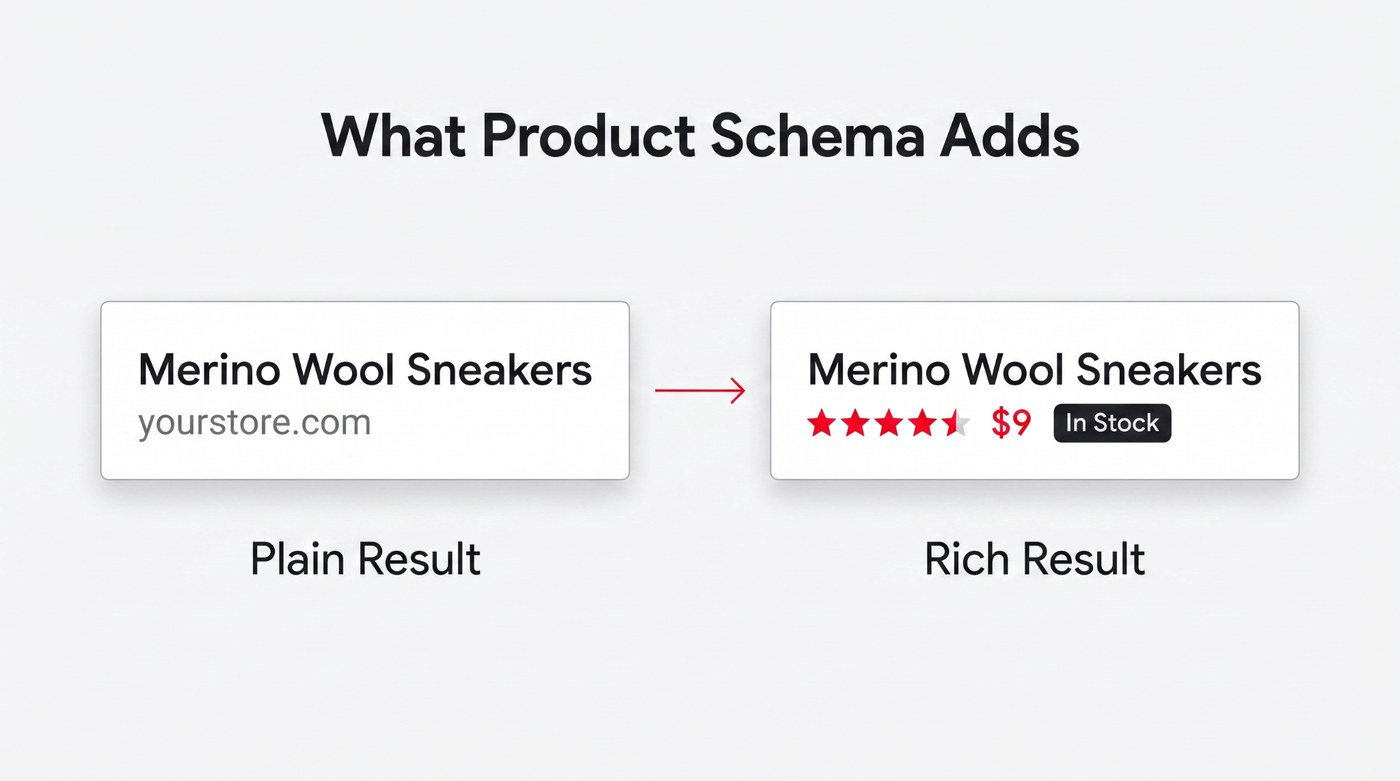
Schema markup is the code that tells Google exactly what your page is: a product, with a real price and stock status attached. Without it, your listing is a plain blue link. With it, you get star ratings and a price showing right there in the results. That is the difference between blending in and catching the eye.
And structured data isn't a small edge. Rich results reliably out-click plain ones — the star rating, price and stock status answer part of the shopper's question before they have clicked anything. Getting there mostly means adding proper product schema to every page and keeping it accurate.
- Add Product schema markup so your price and stock status show in results.
- Validate your markup with Google's Rich Results Test before you rely on it.
- Add ratings and review schema so star snippets can actually appear.
- Keep the schema in sync whenever your prices or stock levels change.
5. Letting Near-Identical Variants Compete Against Each Other
Say you sell one t-shirt in eight colors, each on its own unique URL. Search engines evaluate them as eight nearly identical pages fighting over the same keyword. So it splits the ranking strength, and none comes out on top. You have turned one strong page into eight weak ones without ever meaning to.
- Pick one main variant as canonical or use a single combined page.
- Point canonical tags from the color variants to that one chosen version.
- Give genuinely different products their own separate indexable pages instead of merging.
- Check Google’s search results for your own duplicate variants competing head to head.
6. Orphan Product Pages Nothing Links To
An orphan page exists but has nothing linking to it. Maybe it fell out of a category when the season ended, or it was never linked at all. Search engine crawlers barely find it, and shoppers can't browse their way there either. So it just floats there, unsold and unseen. Search engine indexing depends on crawlers being able to discover and reach those pages in the first place.
- Create a clean site structure and link every product from at least one relevant category or collection page.
- Add related-product and recently-viewed blocks to spread your internal links around naturally.
- Check Google Search Console to find pages with zero internal links.
- Point relevant blog posts and buying guides at your most important product pages.
7. Deleting Out-of-Stock Pages Instead of Handling Them
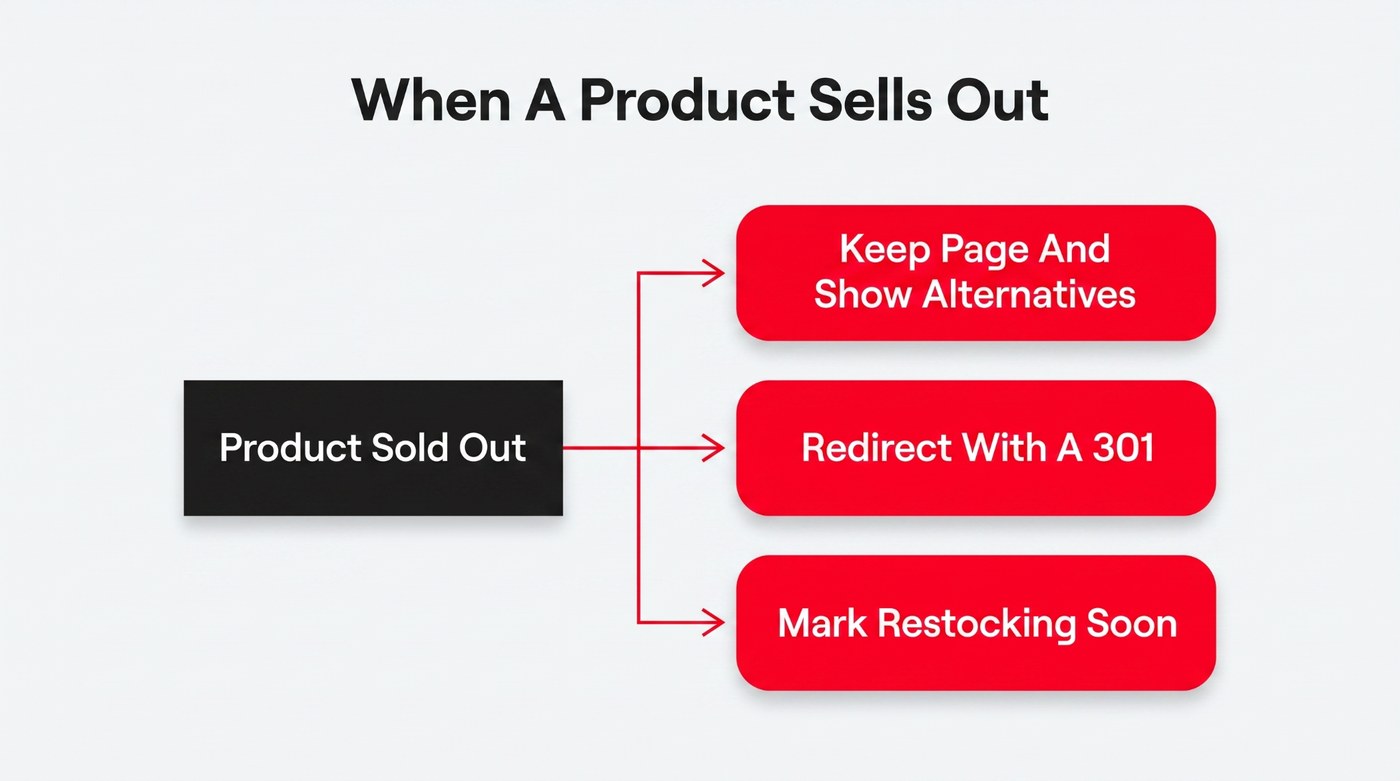
A product sells out or gets discontinued, and the reflex is to just delete the page. But that web page might have spent years building up rankings and links. And deleting it throws all of that away while handing every visitor a dead 404. There is almost always a smarter option here than the delete key.
- Keep temporarily out-of-stock pages live, and feature alternative products that shoppers can actually buy.
- Redirect permanently discontinued products to the closest match or a parent category.
- Never leave a discontinued product just returning a plain, dead 404 error.
- Show a restock date or notify-me option when stock is coming back.
8. A Page That Is Too Slow to Convert
This is where technical SEO matters just as much as the copy. Every extra second your product page takes to load costs you shoppers, especially on mobile, where most buying now happens. A slow page hurts twice over: people bail before it renders, and Google folds speed into rankings through Core Web Vitals. So a sluggish page loses you the visitor and the ranking at once.
- Compress and lazy-load your images to enhance user experience. A content delivery network can also help serve images and other static files faster.
- Cut the heavy scripts and third-party widgets you do not truly need.
- Test your real product pages in PageSpeed Insights, not just the homepage.
- Fix the Core Web Vitals that fail, starting with the worst offenders.
9. Zero Reviews, Ratings, or Q&A on the Page
A product page with no reviews asks the shopper to trust you on pure faith, and most won't. The reviews do the convincing you can't do for yourself. They also add fresh, honest user-generated content that Google likes and feed the star ratings that make a listing stand out. Reviews can also encourage more user engagement and give shoppers a reason to interact with the page. An empty review area is a silent conversion killer.
- Ask for a review automatically a few days after each order is delivered.
- Make leaving a review effortless, using photos and a simple mobile-friendly form.
- Show the reviews and an average star rating right on the product page.
- Answer buyer questions publicly so the very next shopper sees them too.
The hard part isn't wanting reviews – it is actually getting them. Happy customers rarely think to leave one on their own, and a single "please review us" email usually gets ignored. So the section stays bare, not because people dislike you, but because nobody made it easy to say something nice at the right moment. If that is the bottleneck, a review collection and management platform can send the request automatically once an order is delivered, while the purchase is still fresh.
How Product Page SEO Changed in 2026
Everything above still holds, but the ground under product page SEO shifted this year, and it is worth knowing how. The short version: earning the click got harder, so the pages that win are the ones that genuinely deserve to.
AI Overviews and Zero-Click Search Now Come First
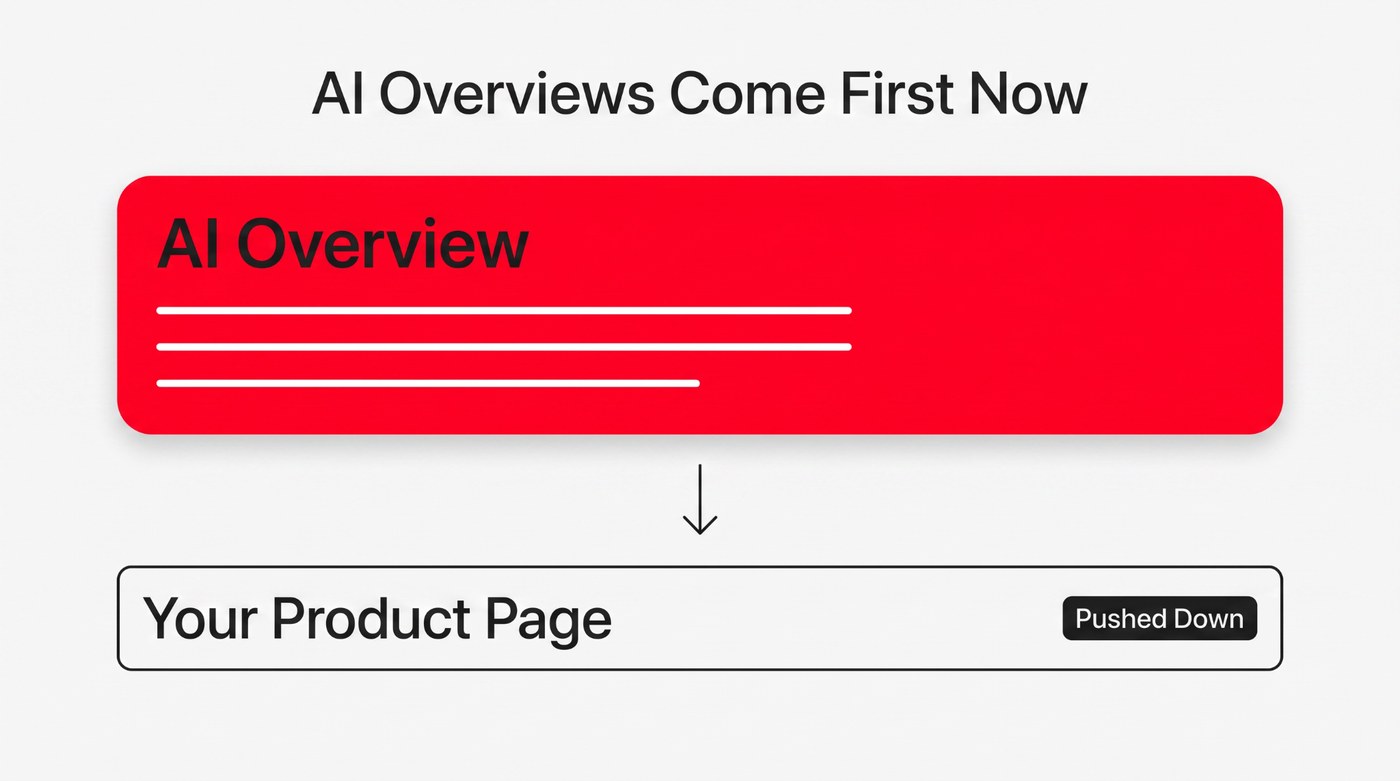
More searches now get answered right on the results page by an AI summary parked above every real listing. For a shopper, that can mean they never scroll down to your product at all. AI Overviews now turn up on a steadily growing share of shopping queries, and every tracker that measures it points the same way. The direction of travel is pretty clear.
The practical answer is to make your page dead easy for a machine to read and quote. Clean structure, together with schema built with AI search in mind, gives you a real shot at being the source it pulls its answer from.
What Still Works Is Genuinely Useful, Specific Detail
The reassuring news is that the pages coming through all this fine are the ones that were already good. They answer real questions instead of padding for keywords. AI and shoppers want the same thing here – the specific and honest detail that helps a person actually choose.
The stakes climb with the price and the complexity of what you sell. For a cheap impulse buy, a thin page might scrape by. For a big, considered purchase, a shallow page is fatal. That goes double for a service, where nobody hands over serious money to a company that won't explain itself.
The best example we have seen isn't even a store – it is a services page done so well it is worth borrowing from. This commercial HVAC company in Suwanee, GA takes a genuinely complex purchase and makes it make sense, from which systems fit an office to what the certifications really mean for you. Nothing is left vague.
It also does something a lot of service pages miss: it connects the technical details to the customer's actual concerns. Instead of assuming the reader already knows what matters, the page explains the work in terms a business owner or facility manager can follow.
That is exactly the depth that works now. A page answering every real question is the one a shopper trusts, and the one an AI Overview is glad to quote. Thin and keyword-padded pages get skipped by both. So whatever you sell, the move in product page SEO is the same: be genuinely and specifically useful.
Which Fixes to Tackle First: The 80/20 of Product Page SEO
Nine mistakes is a lot to stare down at once, so don't. A little 80/20 thinking goes a long way in product page SEO: a couple of these fixes will have far more impact than the others, depending entirely on where your leaks actually are.
How to Spot Which Mistake Is Actually Hurting You
Start by matching the symptom to the cause. Plenty of impressions but few clicks usually points to weak titles or missing schema. Organic traffic that arrives and doesn't convert points to slow load times or an empty review section. Pages that never get found are usually orphaned or hidden. Let your own data tell you where to dig first.
If you want a wider sweep beyond product pages, working through a full technical SEO checklist will turn up the site-wide issues dragging everything else down.
The Order That Gets Results Fastest
As a rough starting point, not a hard rule, fix what loses sales on the traffic you already have. That usually means descriptions and page speed, plus reviews, since those convert the people already arriving. Then chase the fixes that win new traffic, like schema and internal linking. Claw back the easy money before going after more.
| Mistake | How to Spot It | Fastest Fix |
|---|---|---|
| Duplicate descriptions | Your copy matches other stores | Rewrite it in your own words |
| Autopilot titles and metas | Impressions but very few clicks | Rewrite the title and meta |
| Unreadable images | No image-search traffic at all | Add alt text and real filenames |
| No product schema | Plain link, no stars or price | Add and validate Product schema |
| Competing variants | Variant URLs outrank each other | Canonicalize to one main page |
| Orphan pages | Missing from crawls, no links in | Link them from a category page |
| Deleted sold-out pages | 404 errors in your reports | Redirect them or keep live |
| Slow pages | High bounce, weak Core Web Vitals | Compress images, cut scripts |
| No reviews | Empty review area on the page | Automate post-purchase requests |
Conclusion
If one idea ties all nine together, it is this: stop pouring traffic into product pages that leak. Product page SEO pays back fastest when you seal the holes first, then open the tap wider. Pick a couple of these this week, watch what moves, and let the numbers point you to the next one.
This is pretty much what we do all day at eSEOspace, pulling apart exactly these product-page issues for eCommerce brands and turning flat pages into ones that rank and sell. If you'd rather someone audit yours and hand back a priority list, that is us. Get in touch now.
Put this into action with eSEOspace
We help businesses grow with website development that actually performs. Explore the services behind this guide:
Get a FREE Audit
We'll perform a comprehensive SEO, AEO, GEO & CRO audit of your website — completely free — and show you exactly how to outrank your competitors.
Don't have a site yet? Get in touch →
Get a FREE GEO/AEO/SEO Audit
We'll analyze your site's SEO, GEO, AEO & CRO — completely free — and show you exactly how to get found across Google and AI answers.
Don't have a site yet? Get in touch →
Great — your audit is on the way!
We'll send your free SEO/GEO/AEO/CRO audit within the next few hours. Where should we send it?
You're all set! ✓
Your free audit is being prepared — check your inbox in the next few hours. Talk soon!








