This profile is part of our MCP server directory, within The MCP Guide. Profiles are checked against each vendor's own documentation. Need a server built? See MCP development.

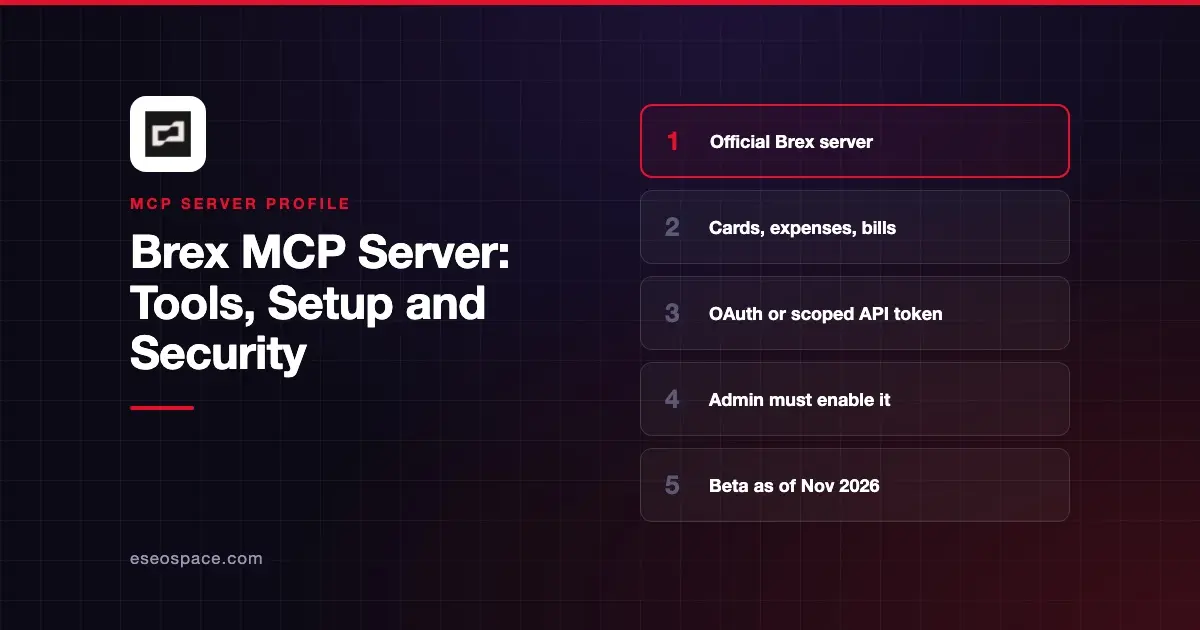
The Brex MCP server lets an AI app answer questions about your company's cards, expenses, bills, banking and travel in Brex. Brex hosts it at https://api.brex.com/mcp, and it respects the same role-based permissions as your Brex login.
Checked against: Brex's MCP developer docs, the Brex help article on AI apps and Claude's Brex listing on 2 November 2026. eSEOspace did not install or test this server.
Key Takeaways
- The server runs at
https://api.brex.com/mcpover HTTP, with OAuth (recommended) or a scoped Brex API token. - An account admin or card admin must switch on the feature and accept the Developer API agreement before anyone can connect.
- Most tools read data. A few write tools let users edit memos, receipts, attendees and limits on their own card expenses.
- Brex says approvals and card management are "not yet available via MCP," and the docs call the server a beta.
- Your AI sees only what your Brex role allows.
At a glance
| Item | Detail |
|---|---|
| Publisher | Brex |
| Official? | Yes |
| Hosting | Remote URL (hosted by Brex) |
| Transport | HTTP |
| Sign-in | OAuth with dynamic client registration, or Bearer API token |
| Read or write | Mostly read; self-service expense edits |
| Price | No separate MCP price listed; Brex plans start at $0 per user per month |
| Source code | Not published |
| Status | Beta per developer docs; "Early access" per help center |
What it can do
The developer docs list about 45 tools, each tied to a Brex permission. They fall into these groups:
- People and org data:
get_user_myself,list_users,list_departments,list_cost_centers,list_locationsandlist_legal_entities. - Expenses:
list_expenses,get_expense_by_id,get_reimbursement_payout_dateand an export pair,start_expense_downloadandget_expense_download_result. - Cards and policy:
list_cards,get_card_by_id,list_my_limitsandget_expense_policy. - Banking and bills:
list_business_accounts,list_banking_transactions,list_billsandlist_vendors. - Accounting and travel:
list_accounting_records,list_gl_accounts,list_tripsandlist_bookings. - Analytics for admins:
brex-analytics, limited to account or card admins.
The write tools are update_expense_memo, upload_card_expense_receipt_from_urls, replace_attendees_for_card_expense and assign_limit_for_card_expenses. The help article says these edits apply to your own transactions only. It also says the server cannot approve or reject expenses, create reimbursements or change your team's transactions.
Claude's Brex listing shows a shorter set of 10 tools, such as list_my_expenses and list_my_cards. That connector is built for employees, so expect its tool list to differ from the developer server.
How to connect it
First, an admin has to turn the feature on. The developer docs say to enable Brex in AI assistants under Settings, Beta features, and to accept the Developer API agreement under Settings, Developer. The help center describes the same toggle as Brex MCP access under Settings, Early access, so the label may vary by account.
For Claude Code, Brex documents this command. Then run /mcp to sign in:
claude mcp add --transport http brex https://api.brex.com/mcpFor Codex CLI:
codex mcp add brex --url https://api.brex.com/mcpFor Claude Desktop's config file, Brex gives an mcp-remote bridge, which needs Node.js 20 or newer:
{
  "mcpServers": {
    "brex": {
      "command": "npx",
      "args": ["-y", "mcp-remote", "https://api.brex.com/mcp"],
      "env": {}
    }
  }
}
If you prefer a token, create one under Settings, Developer, and send it as Authorization: Bearer YOUR_BREX_ACCESS_TOKEN. In Claude, you can instead add Brex from Customize > Connectors. On Claude Team or Enterprise, an admin must add Brex to the organization first.
Security notes
Brex builds in several useful limits:
- Role-based access. The help article says your AI "only sees what your user account is allowed to see."
- Scoped tokens. If you leave a scope out of an API token, the matching tools disappear. Brex advises granting "only the scopes your AI workflow actually needs."
- Attribution. With OAuth, actions are recorded as the MCP client acting for the signed-in user.
- Revocation. You can cut access under Settings, Personal settings, Connected Integrations.
The write tools are narrow, but they still change real records. A wrong memo or limit is easy to miss, so keep your client's approval prompts on for write calls. Data you pull is processed by your AI provider under its own terms, which Brex notes in its help article.
The MCP project's security best practices cover token passthrough, confused deputy attacks and scope minimization. For finance data, also read excessive permissions and run the MCP server risk checklist. The MCP Security Center has more.
Alternatives
- Ramp MCP server for spend, approvals and GL coding in Ramp.
- Expensify MCP server for expense reports.
- Mercury MCP server for banking data.
Next step
Start with read questions, such as "what did my team spend on software last month," before you let the AI edit anything. Compare finance options in our best MCP accounting tools list or browse the MCP server directory.
More in the MCP Guide
Free tools: MCP Server Risk Checklist · Tool Permission Planner
Latest research: State of MCP: October 2026
Frequently asked questions
Does Brex have an official MCP server?
Yes. Brex hosts one at https://api.brex.com/mcp and documents it on its developer site. It is also listed in Claude's connector directory, published by Brex.
Can the Brex MCP server approve expenses?
No. Brex's developer docs say approvals and card management are not yet available through MCP. The help center also says it cannot create reimbursements or change your team's transactions.
Who has to set it up?
An account admin or card admin. They enable the beta feature and accept the Developer API agreement. After that, each user signs in with OAuth or uses a scoped API token.
Does it cost extra?
Brex lists no separate MCP fee. Its pricing page shows Essentials at $0 per user per month and Premium at $12 per user per month, with Enterprise on custom pricing.