This profile is part of our MCP server directory, within The MCP Guide. Profiles are checked against each vendor's own documentation. Need a server built? See MCP development.

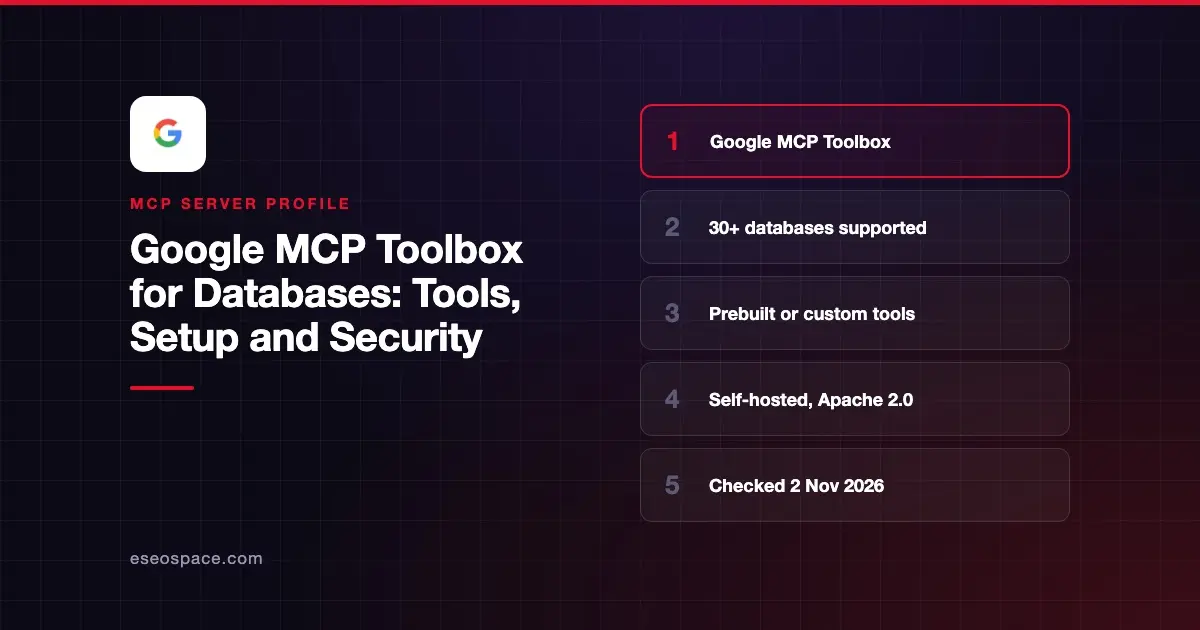
MCP Toolbox for Databases is Google's open-source MCP server for connecting AI apps to databases. It works two ways: as a ready-made server with prebuilt tools for a given database, or as a framework where you define your own safe, structured queries in a tools.yaml file. You host it yourself.
Checked against: the MCP Toolbox GitHub README (release v1.15.0, published 23 October 2026), the prebuilt configs reference and the Toolbox FAQ, checked on 2 November 2026. eSEOspace did not install or test this server.
Key Takeaways
- The project was first called "Gen AI Toolbox for Databases" and the repo was renamed from
genai-toolboxtomcp-toolbox. - Prebuilt tools cover Google Cloud databases (AlloyDB, BigQuery, Cloud SQL, Spanner, Firestore) and others such as PostgreSQL, MySQL, SQL Server, Oracle, Snowflake and Neo4j.
- Google says prebuilt configs are for "build-time" use by trusted developers, not for production agents used by untrusted people.
- For production agents, Google points you to custom tools with fixed SQL statements and parameters.
- If you want a hosted option, Google also offers managed Google Cloud MCP servers; Toolbox is the self-hosted, open-source route.
At a glance
| Item | Detail |
|---|---|
| Publisher | Google (googleapis on GitHub) |
| Official? | Yes |
| Hosting | Self-hosted binary, container, Homebrew or npx |
| Transport | stdio, or HTTP at http://127.0.0.1:5000/mcp by default |
| Sign-in | Database credentials or IAM; Google Sign-In, generic OIDC and MCP authorization guides listed in the docs |
| Read or write | Depends on the tools you load; some prebuilt tools run raw SQL |
| Price | Free and open source (Apache 2.0) |
| Source code | Open, written in Go |
| Status | v1.15.0; follows Semantic Versioning |
What it can do
The README describes a "dual purpose." First, it is a ready-to-use server: start it with --prebuilt=<database> and you get standard tools such as list_tables and execute_sql. You can load a narrower toolset with --prebuilt=<database>/<toolset>, for example --prebuilt=postgres/data for only the SQL tools.
Second, it is a framework for custom tools. In tools.yaml you declare:
| Section | What it defines |
|---|---|
source | A database connection (host, database, user) |
tool | One action, its source, parameters and SQL statement |
toolset | A named group of tools loaded together |
prompt | Reusable prompt templates |
resource | Read-only content such as schema files |
The prebuilt configs page lists over 30 targets, including AlloyDB, BigQuery, Bigtable, ClickHouse, Cloud SQL for MySQL, PostgreSQL and SQL Server, Elasticsearch, Firestore, Looker, MySQL, Neo4j, Oracle, PostgreSQL, Snowflake, Spanner and SQLite.
Other documented features include connection pooling, OpenTelemetry traces and metrics (--telemetry-otlp), a test UI (--ui), and a skills-generate command that turns a toolset into an Agent Skill. Client SDKs exist for Python, JavaScript/TypeScript, Go and Java.
How to connect it
For a prebuilt server, the README gives this config for clients such as Claude Desktop, Claude Code and Codex:
{
  "mcpServers": {
    "toolbox-postgres": {
      "command": "npx",
      "args": [
        "-y",
        "@toolbox-sdk/server",
        "--prebuilt=postgres",
        "--stdio"
      ]
    }
  }
}
You then set the connection environment variables listed in the prebuilt reference for your database.
For custom tools, run the server against your file and point the client at the HTTP endpoint:
npx @toolbox-sdk/server --config tools.yaml{
"mcpServers": {
"toolbox": {
"type": "http",
"url": "http://127.0.0.1:5000/mcp"
}
}
}To expose one toolset only, use http://127.0.0.1:5000/mcp/{toolset_name}. The README notes the npx method is "optimized for convenience rather than performance" and recommends the binary or container for steadier installs. Homebrew users can run brew install mcp-toolbox. Gemini CLI and Google Antigravity users can also install it as an extension or from the Antigravity MCP Store. Our MCP config generator can help you shape the JSON for other clients.
Security notes
Google is direct about the risks. The prebuilt configs page says they are not secure enough for run-time use with potentially untrusted developers. It also warns that tools where the agent writes raw SQL are risky, and that annotations and client confirmations "are not a database security boundary."
Google's guidance:
- Give Toolbox a dedicated database identity with only the privileges it needs, such as SELECT-only access for exploration.
- Never use owner, admin, migration or application-write accounts.
- Do not rely on keyword blocklists or regex filters to make raw SQL safe.
- For production agents, write custom tools with fixed statements and typed parameters instead of
execute_sql.
The docs also list guides for read-only tools, Model Armor and CLI hardening. The default HTTP address binds to localhost; if you deploy it elsewhere, put authentication in front of it. Plan which tools each user gets with our tool permission planner, and read least privilege for MCP and the MCP Security Center.
Alternatives
- Google BigQuery MCP Server if you only need BigQuery and want Google's managed option.
- Supabase MCP Server for hosted Postgres with a vendor-run server.
- Snowflake MCP Server for governed warehouse access inside Snowflake.
Next step
Start with a prebuilt config on a copy of your data and a SELECT-only user. Once you know which questions matter, write custom tools for those and drop raw SQL. Compare more options in our best MCP servers for databases list.
More in the MCP Guide
Free tools: MCP Server Risk Checklist · Tool Permission Planner
Latest research: State of MCP: October 2026
Frequently asked questions
Is MCP Toolbox for Databases the same as genai-toolbox?
Yes. The README says the project was originally named "Gen AI Toolbox for Databases" because it predated MCP. The GitHub repo googleapis/genai-toolbox was renamed to googleapis/mcp-toolbox.
Does it cost anything?
The software is free and open source under Apache 2.0. You still pay for the databases and hosting you use.
Can I use it with Claude?
Yes. The README names Claude Code as a supported client and gives a standard mcpServers config that works in Claude Desktop and other MCP clients.
Is it safe to give an AI agent execute_sql?
Only for trusted developers on non-production data, per Google's prebuilt configs page. Use a least-privileged database user, and switch to custom tools with fixed SQL for anything customer-facing.