This profile is part of our MCP server directory, within The MCP Guide. Profiles are checked against each vendor's own documentation. Need a server built? See MCP development.

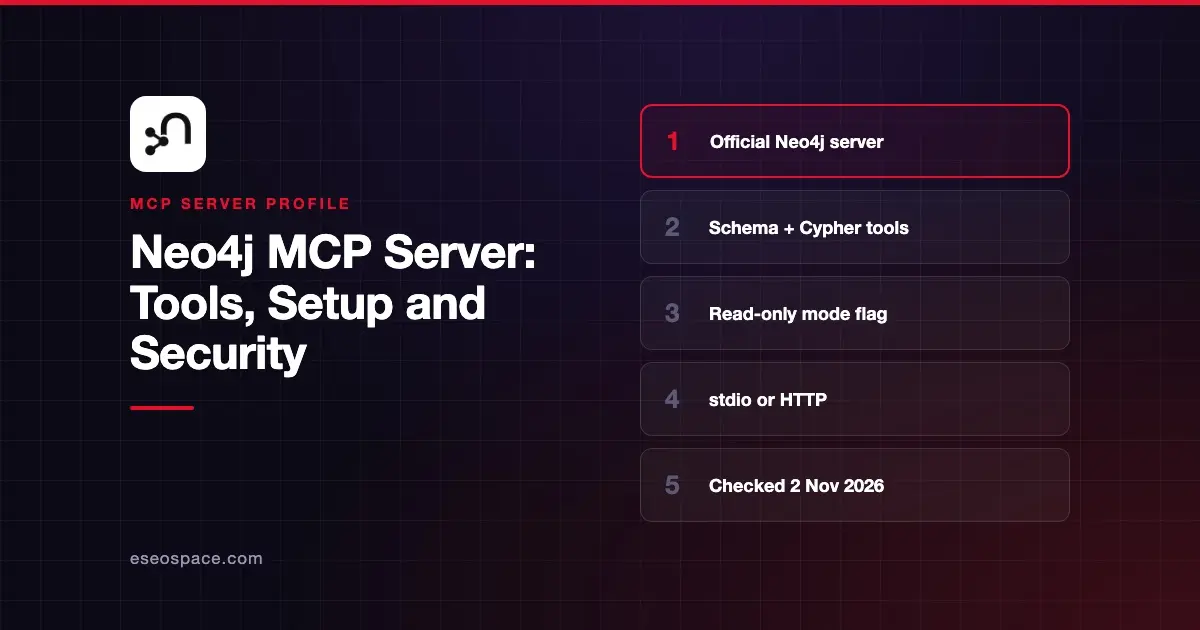
The Neo4j MCP server gives AI apps structured access to a Neo4j graph database. Your assistant can read the graph schema, run read-only Cypher queries, and, if you allow it, run write queries. It works with Aura, Neo4j Desktop and self-managed Neo4j.
Checked against: the Neo4j MCP documentation (Version 2), its configuration, installation and tools pages, and the neo4j/mcp GitHub README (release v2.0.0, published 28 October 2026), checked on 2 November 2026. eSEOspace did not install or test this server.
Key Takeaways
- There are four tools:
get-schema,read-cypher,write-cypherandlist-gds-procedures. - Read-only mode (
NEO4J_MCP_READ_ONLY=trueor--read-only) hideswrite-cypher, even if you list it in the tool selection. - Neo4j's own docs warn that LLM-generated write queries "can cause harm" and say to use
write-cypheronly in development. - Telemetry is on by default; turn it off with
NEO4J_MCP_TELEMETRY=false. - Neo4j Labs runs separate, experimental servers such as
mcp-neo4j-cypher;neo4j/mcpis the official product server.
At a glance
| Item | Detail |
|---|---|
| Publisher | Neo4j |
| Official? | Yes |
| Hosting | Self-hosted (pip/uvx, Homebrew or release binary) |
| Transport | stdio (default) or stateless HTTP |
| Sign-in | Neo4j username and password (stdio); per-request credentials in a header (HTTP) |
| Read or write | Read-write by default; read-only mode available |
| Price | Free to download; you need a running Neo4j instance |
| Source code | Open (Go); GPL v3 per NOTICE.txt, with different terms when used with Aura or Neo4j's commercial products |
| Status | v2.0.0 |
What it can do
The tools page lists:
| Tool | Read-only | Purpose |
|---|---|---|
get-schema | Yes | Reads labels, relationship types and property keys |
read-cypher | Yes | Runs Cypher in read mode; rejects writes, schema/admin operations and PROFILE |
write-cypher | No | Runs Cypher in write mode |
list-gds-procedures | Yes | Lists Graph Data Science procedures on the instance |
Neo4j suggests prompts such as listing all node labels and relationship types, or creating a node. Prerequisites are a running Neo4j instance with the APOC plugin. The Graph Data Science (GDS) library is optional; if it is missing, list-gds-procedures is simply left out.
read-cypher makes an extra round trip to confirm a query is read-only. The README adds one caveat: custom procedures that Neo4j wrongly classifies as read-only may slip past that check.
How to connect it
Neo4j's installation page gives these options:
uvx neo4j-mcp-serverbrew install neo4j-mcpYou can also download a binary from the GitHub releases page and run neo4j-mcp -v to confirm it works. The README shows pip install neo4j-mcp-server and this VS Code mcp.json entry (we removed a trailing comma from the README copy so the JSON is valid):
{
  "servers": {
    "neo4j": {
      "type": "stdio",
      "command": "python",
      "args": ["-m", "neo4j_mcp_server"],
      "env": {
        "NEO4J_MCP_URI": "bolt://localhost:7687",
        "NEO4J_MCP_USERNAME": "neo4j",
        "NEO4J_MCP_PASSWORD": "password",
        "NEO4J_MCP_DATABASE": "neo4j"
      }
    }
  }
}
Claude Desktop, Cursor and other clients take the same command and env block under mcpServers. Our MCP config generator can reformat it.
All settings use the NEO4J_MCP_ prefix, and each has a matching command-line flag that wins over the variable. Other useful ones from the configuration page: NEO4J_MCP_TOOLS to advertise only some tools, NEO4J_MCP_REQUEST_TIMEOUT (default 3 minutes, max 30), and NEO4J_MCP_SCHEMA_SAMPLE_SIZE (default 100 nodes).
HTTP mode
Set NEO4J_MCP_TRANSPORT_MODE=http for a stateless, multi-tenant server. In this mode the URI and credentials come from request headers, and the database comes from the URL path /db/{databaseName}/mcp. It binds to 127.0.0.1 by default, CORS is off unless you set allowed origins, and TLS is available with a certificate and key file.
Security notes
Start with read-only mode. It takes precedence over tool selection, so write-cypher stays hidden even if someone adds it to NEO4J_MCP_TOOLS. Neo4j's tools page puts it plainly: "LLM-generated queries can cause harm. Use only in development environments."
Use a Neo4j user with only the privileges the assistant needs. In stdio mode the password sits in your client config, so keep that file private. In HTTP mode, credentials travel with each request; enable TLS and keep NEO4J_MCP_HTTP_ALLOW_UNAUTHENTICATED_PING off unless a health check needs it.
Telemetry defaults to true. If your policy requires it, set NEO4J_MCP_TELEMETRY=false or use the --telemetry flag. Check other risks with our MCP server risk checklist, and read least privilege for MCP and the MCP Security Center.
Alternatives
- Google MCP Toolbox for Databases, which also has a prebuilt Neo4j config.
- MongoDB MCP Server for document databases.
- MCP Memory Server for a lightweight local knowledge graph with no database to run.
Next step
Connect in read-only mode, ask for the schema, then try a few read questions. Compare other options in our best MCP servers for databases list.
More in the MCP Guide
Free tools: MCP Server Risk Checklist · Tool Permission Planner
Latest research: State of MCP: October 2026
Frequently asked questions
Is the Neo4j MCP server free?
The server is free to download from PyPI, Homebrew or GitHub. You need a Neo4j instance, which may be free or paid depending on whether you use Aura, Desktop or a self-managed edition.
How do I stop the AI from changing my graph?
Set NEO4J_MCP_READ_ONLY=true or pass --read-only. That hides write-cypher. Pair it with a database user that has only read privileges.
What is the difference between neo4j/mcp and mcp-neo4j-cypher?
neo4j/mcp is the official product server. mcp-neo4j-cypher and related servers belong to Neo4j Labs, whose README says they are "not supported by the Neo4j product team" and carry no backwards-compatibility guarantees.
Does it work with Neo4j Aura?
Yes. Neo4j lists Aura, Neo4j Desktop and self-managed deployments as supported instances. Point NEO4J_MCP_URI at your Aura connection URI.