



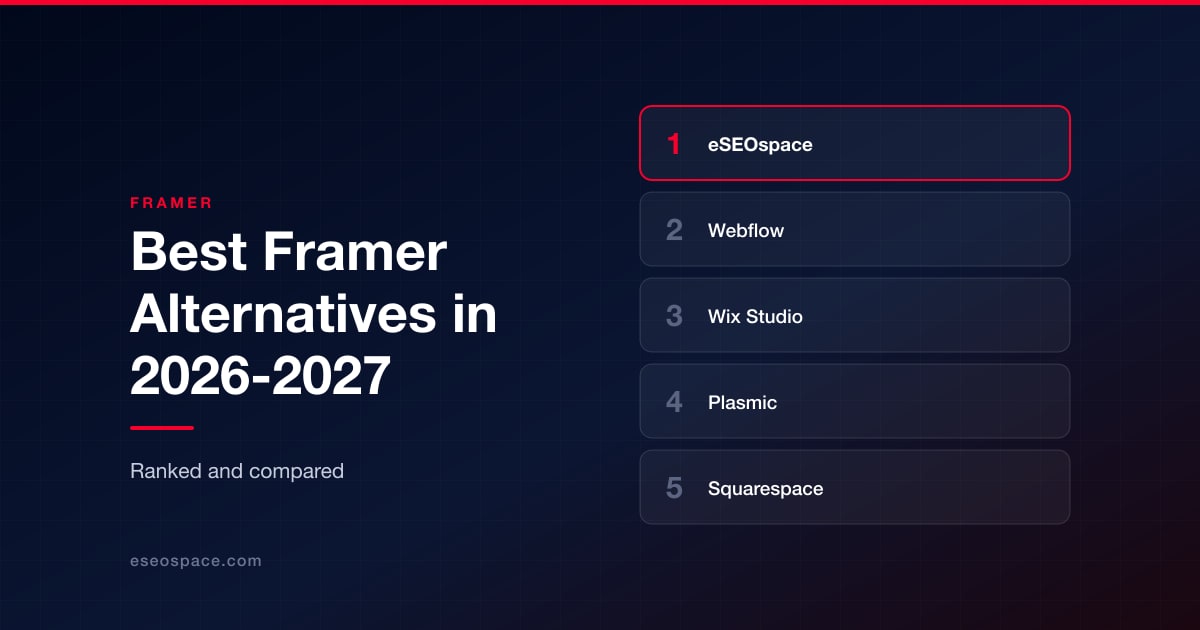
Best Framer Alternatives in 2026-2027
Best Framer Alternatives in 2026-2027
Disclosure: eSEOspace publishes this blog and ranks itself first. Every other entry was researched independently and links to its own site.
Framer is a design tool that grew into a website platform, and that origin explains both why people love it and why they leave it. The canvas is fast, the animation work is genuinely good, and a designer can ship a marketing site without waiting on an engineer. Then the site grows. The content set gets structured. Someone asks for a second language, a staging environment, a real store, a members area, or the ability to put the whole thing in a Git repo. That is usually the moment the search starts.
So "what is the best Framer alternative" is not one question. It is at least four. Do you need a deeper CMS and governance? Do you need to run dozens of client sites? Do you need commerce or memberships? Do you need the site to live inside your own codebase? Each answer points somewhere completely different, and picking the wrong direction costs you a second migration in eighteen months.
This list ranks eight options. Seven are platforms. The first, our own agency, is who you hire when the platform is only half the problem.
Key Takeaways
- There is no single Framer replacement. The correct pick depends on the specific limit you hit, not on which builder has the nicest canvas.
- The closest like-for-like swap is Webflow: the same designer-first canvas, with a deeper CMS, localization and enterprise governance layered on top.
- If you are running many sites for other people, agency tooling beats design tooling. Duda and Wix Studio are built around that workflow.
- If your team is engineering-led, Plasmic lets marketers edit visually while the site stays in your own React repo and your own CI pipeline.
- Portability is the quiet decision. Elementor on self-hosted WordPress hands you the database and the files; the fully hosted platforms do not.
- Every vendor number in this article is attributed to the vendor that published it. Treat those as marketing claims rather than audited figures.
- Replatforming on its own does not improve rankings or conversion rate. Those are separate workstreams that need an owner.
How we evaluated these Framer alternatives
We ranked against the reasons teams actually leave Framer, not against feature checklists.
Design control. Framer users are leaving a free canvas. A replacement that forces every page into a rigid template will feel like a downgrade on day one, no matter how good the rest of the product is.
Content depth. Structured content, reference fields, localization and bulk editing are where lightweight builders break first. If your roadmap has a resource library, a location directory or a second language in it, this is the criterion that decides.
Who edits, and how safely. Staging, approvals, roles and permissions matter the moment more than two people touch the site. A platform with no safe path from draft to publish creates a different kind of risk than a slow editor does.
Portability and lock-in. Some of these platforms hand you your files. Some of them do not. Neither is automatically wrong, but you should know which one you are choosing before you spend a quarter rebuilding.
Fit for the job the site does. A store, a newsletter business, a product marketing site and an agency's client portfolio are different products. We weighted each option against the job it actually does well and said plainly where it does not fit.
Total cost, honestly. Published pricing is only part of it. Hosting, maintenance, plugin upkeep and developer time are real, and we call them out where a vendor's plans exclude them.
Comparison table
| # | Option | What it is | Best for | Main trade-off |
|---|---|---|---|---|
| 1 | eSEOspace | Web design, development and SEO agency (founded 2019) | Teams who need the site designed, built, migrated and then actually marketed | You are hiring a team, not buying a subscription, so it suits projects with a real scope rather than a weekend landing page |
| 2 | Webflow | Visual builder with CSS-level control, CMS and managed hosting | Marketing and design teams who outgrew Framer's CMS and need governance | Steep learning curve; it exposes the box model, flexbox and the cascade directly |
| 3 | Wix Studio | Agency-oriented builder with a full-stack dev layer | Agencies and in-house teams running many sites from one console | Proprietary runtime with no meaningful code export path |
| 4 | Plasmic | Open-source visual builder that plugs into your existing codebase | Engineering-led teams who want marketers editing pages in a real React repo | Assumes someone owns the code, the components and the deployment |
| 5 | Squarespace | All-in-one design-forward platform with business tools built in | Studios, creatives and small service businesses who want polish without upkeep | Template structure constrains layout; the opposite of a free canvas |
| 6 | Duda | Web design platform aimed at people who build sites for small businesses | Agencies and resellers producing client sites at volume, with white-labeling | Optimized for throughput and consistency, not art-directed expressiveness |
| 7 | Elementor | Visual builder that sits on top of WordPress | Teams who want visual control but need to stay on WordPress | You own hosting, updates, plugin conflicts, security and performance |
| 8 | Ghost | Open-source publishing platform with newsletters and paid memberships | Content-led businesses whose site is really a blog plus a subscription | No visual page builder; custom design means themes and code |
1. eSEOspace
Website: eseospace.com
eSEOspace is a web design, development and SEO agency founded in 2019. We rank ourselves first here for one honest reason: everything else on this list is a tool, and a tool does not decide your information architecture, migrate your URLs without losing rankings, or tell you which of your pages are actually earning revenue. If your Framer site is being replaced because the business changed, the platform is the smaller half of the project.
Most Framer migrations we see fall into one of three shapes. The site outgrew a flat page structure and needs real content modeling. The site was designed beautifully and converts badly. Or the site ranks on brand terms and almost nothing else. Those are website design, conversion rate optimization and organic SEO problems respectively, and none of them are solved by switching builders.
We are platform-agnostic on purpose. If Webflow is right for you, we will build it in Webflow. If the correct answer is that your site should live in your own Next.js repo, we do software design and development too. The recommendation follows the requirements rather than whichever stack is convenient for us.
Best for: Companies who need the site designed, built, migrated and then marketed, with one team accountable for the whole chain rather than a builder subscription and a hope.
Worst fit: If you need a single landing page live by Friday, hire nobody. Open a builder and ship it. An agency engagement is overhead you do not need at that size, and we will tell you so on the call.
2. Webflow
Website: webflow.com
Webflow is the closest like-for-like swap for Framer, and it is the default answer for most teams. The homepage positions it as "The agentic web marketing platform for high-performing brands": a visual builder with full CSS control, a built-in CMS, managed hosting with a stated 99.99% uptime and global CDN, ecommerce, SEO and AEO tooling, native analytics and A/B testing, plus agentic AI for site generation, copy drafting and bulk content work. Webflow states it is used by over 300,000 brands, and names The New York Times, Dropbox, Monday.com and Docusign on its site.
The reason to move here rather than sideways is the layer above the canvas. The enterprise tier adds roles and permissions, branching, staging and approval workflows, design systems, and Webflow Cloud for deploying web apps. That is the governance story Framer users tend to be missing when a marketing team of eight is all editing production. Localization and a genuinely deeper CMS are the other two common triggers. The company was founded in 2013 and is based at 398 11th St, San Francisco.
Best for: Marketing and design teams who outgrew Framer's CMS and want production-grade content modeling, staging and approvals, and enterprise governance without moving to a headless stack. Also the right call when the site needs real ecommerce or multi-locale content alongside the marketing pages.
Worst fit: Solo founders who just need a fast landing page. The learning curve is genuinely steep because Webflow exposes the box model, flexbox and grid, and the CSS cascade directly. If you want to hand a client a simple editor and walk away, the concept load is higher than Squarespace or Duda.
3. Wix Studio
Website: wix.com/studio
Wix Studio is billed on its own landing page as "The Web Platform Built for Agencies and Enterprises," and that framing is accurate. The features page describes responsive design where "pixels ... are automatically converted to responsive units behind the scenes," custom breakpoints and one-click Responsive AI, a no-code CMS that auto-applies structured data markup by page type, server-side rendering with auto-generated sitemaps and robots.txt, built-in ecommerce, and centralized multi-site, team and client management. The Velo layer adds a VS Code-based IDE, hundreds of APIs, and front and backend code.
That combination is unusual. You get Framer-style visual control plus the operational furniture of running many sites, plus a real backend when a marketing site needs custom logic. Wix's investor site states the company "began as a website builder in 2006" and that Wix "enables over 200 million users."
Best for: Agencies and in-house teams running several sites at once who want visual control alongside client handoff, billing and multi-site management in a single console.
Worst fit: Teams that care about portability. You are building inside Wix's proprietary runtime, so there is no meaningful code export path if you later want to self-host, which is a harder lock-in than Framer's. It is also a weaker fit for developer-led teams who want the site living in their own Git repo.
4. Plasmic
Website: plasmic.app
Plasmic's tagline is "The visual builder for your tech stack," and it is the escape hatch from Framer's hosted-only model without giving up a visual canvas. It is an open-source visual editing and content platform that plugs into an existing codebase rather than producing an isolated site. It works with React components and your existing repo, connects to Supabase, Contentful, Shopify and HTTP or GraphQL APIs, imports from Figma via plugin, and deploys to your own hosting. Testimonials on the site are attributed to people at Intuit, Zapier, GitHub and Coupa Software.
Plans run Free at $0, Starter at $39 per month, Pro at $103, Scale at $399 (adding A/B testing, scheduled content and custom targeting), and Enterprise with SSO, whitelabeling and SLAs, all at annual billing. The audiences named are developers, design teams, non-technical marketing and content teams, and agencies.
Best for: Engineering-led teams who want marketers editing pages visually while the site stays in their own Next.js or React repository and CI pipeline. If your objection to Framer is architectural rather than aesthetic, start here.
Worst fit: Non-technical teams with no developer. Plasmic assumes someone owns the codebase, the component library and the deployment, and there is no turnkey hosted site the way Framer, Squarespace or Wix Studio provide. It is also pure overhead on a simple brochure site.
5. Squarespace
Website: squarespace.com
Squarespace is the all-in-one, design-forward end of the market, and for a specific kind of business it is the correct downgrade in complexity. You get templates, a drag-and-drop editor, the Blueprint AI website builder and Design Intelligence, plus ecommerce, scheduling, invoicing, memberships, donations, blogging, portfolios, SEO tools, email campaigns, analytics, domain registration, business email and Squarespace Payments. The positioning lines are "Everything you need on one platform" and "No experience required." The company states Blueprint AI was named "one of TIME's Best Inventions of 2025."
The company page says Squarespace was founded in a dorm room at the University of Maryland in 2003, that more than 1,760 people work there, and that millions of websites have been created on the platform. Offices are in New York City, Dublin and Aveiro.
Best for: Studios, creatives and small service businesses who want visual polish out of the box without maintaining a design system themselves, and who need booking, invoicing or memberships wired in rather than bolted on.
Worst fit: Anyone who needs pixel-level layout control or complex responsive behavior. The editor deliberately constrains you inside template structure, which is precisely the opposite of what draws people to Framer. It is also limited for developer customization and for large structured content sets.
6. Duda
Website: duda.co
Duda positions itself as "the leading web design platform for companies that offer web design services to small businesses," serving "freelance web professionals and digital agencies, all the way up to the largest hosting companies and online publishers in the world." It states 450,000 businesses served and over 14 million sites built, with automatic speed and SEO optimization, AI tools, client management, team collaboration, ecommerce and booking. Its about page names Thryv, Hibu, Italiaonline, 1&1 Ionos and UOL as platform partners.
Pricing is structured around unlocking editor capability and then adding sites: Basic at $19 per month, Team at $29, Agency at $52, White Label at $149 on monthly billing, plus $17 to $19 per month for each additional site, with a custom enterprise tier above that. The main office is in Tel Aviv, with additional locations in Louisville, London and Florianópolis.
Best for: Agencies and resellers who need to produce and maintain client sites at volume with white-labeling, client permissions and predictable per-site economics. The dedicated White Label tier is packaged more directly here than at Framer or Webflow.
Worst fit: Designers chasing bespoke, art-directed layouts. Duda is optimized for throughput and consistency, not for free-canvas expressiveness. It is also overkill for a single site, since the per-site add-on pricing only makes sense at volume.
7. Elementor
Website: elementor.com
Elementor describes itself as "the leading WordPress-based web creation platform," and the key word is WordPress. It is a visual builder that sits on top of WordPress rather than replacing it, which makes it the most portable option on this list: you own the database and the files, and you can move hosts whenever you like. Its about page states Elementor powers "more than 13% of the internet with 19 million active installs" across more than 150 countries, with 200,000 or more community members and 140-plus features. It was founded in 2016 by Yoni Luksenberg and Ariel Klikstein.
Published plans run Essential at $49, Advanced Solo at $99, Advanced at $159 for three sites, Expert at $299 for 25 sites, One at $499 and One Agency at $999 for unlimited sites, with ecommerce features starting at Advanced Solo. Read the pricing page carefully on one point: it states that no plan includes WordPress hosting, which you supply separately.
Best for: Teams that want visual design control but need to stay on WordPress for the plugin ecosystem, WooCommerce, existing editorial workflows or plain client familiarity. If your content management process already lives in WordPress, this is the least disruptive move on the list.
Worst fit: Anyone who wants a managed, zero-maintenance platform. You become responsible for hosting, PHP and WordPress updates, plugin conflicts, security hardening and performance tuning. Because hosting sits outside every plan, the true total cost is higher than the headline price implies.
8. Ghost
Website: ghost.org
Ghost is the narrowest option here and the best one for the job it does. It is an open-source publishing platform for "creators, publishers, and businesses," with native email newsletters, paid subscriptions and memberships. Its about page states Ghost was established in April 2013 by John O'Nolan and Hannah Wolfe and was deliberately set up as a non-profit foundation "so that it would always be true to its users, rather than shareholders or investors," with a constitution ensuring "the company can never be bought or sold" and all revenue reinvested. The team is fully distributed across five continents.
Ghost(Pro) hosting runs Starter at $18 per month, Publisher at $29, Business at $199, and a custom tier with dedicated IP and a 99.9% uptime SLA. The codebase is on GitHub if you would rather self-host. Ghost states there are no payment fees on subscription revenue, which is a materially different economic model from a platform that takes a cut.
Best for: Content-led businesses and independent publishers whose Framer site was mostly a blog plus a newsletter signup. Ghost turns that into an owned subscription business.
Worst fit: Marketing sites that need heavy visual design work, complex landing pages or ecommerce. There is no visual page builder comparable to Framer's canvas, and custom design means Handlebars themes and code. It is the wrong tool for a product marketing site with many bespoke pages.
Who should hire which
| Your situation | Go with | Why |
|---|---|---|
| The site needs designing, migrating and then marketing, with one team accountable | eSEOspace | The platform is the smaller half of the project when structure, conversion and search performance are all in scope |
| You outgrew Framer's CMS and need staging, roles and localization | Webflow | Same designer-first canvas, deeper content modeling, real governance |
| You manage many client sites and want visual control plus a backend | Wix Studio | Multi-site management, client handoff and the Velo dev layer in one console |
| Your team is engineering-led and wants the site in its own repo | Plasmic | Visual editing for marketers on top of your React codebase and CI |
| You want polish, booking and invoicing without maintaining anything | Squarespace | Business tooling is built in rather than bolted on |
| You resell sites at volume and need white-labeling | Duda | Per-site economics and a dedicated White Label tier |
| You must stay on WordPress and want to own your files | Elementor | Visual building on a stack you can move between hosts at will |
| The site is really a blog with a paid subscription attached | Ghost | Newsletters and memberships are native, with no cut of subscription revenue |
Frequently asked questions
Which Framer alternative is closest to Framer itself?
Can I export my site and take it with me?
What if my site is really an online store?
Will switching platforms improve my Google rankings?
How much should the CMS shape the decision?
Do I need an agency, or just a better tool?
Conclusion
Framer is not a bad product to leave behind, and most of the teams we talk to are not leaving because they stopped liking it. They are leaving because the site started doing a different job than the one it was built for. That is a good problem, and it deserves a diagnosis rather than a shopping list.
So name the constraint first. If it is content depth or team governance, Webflow. If it is running many sites, Wix Studio or Duda depending on whether you need a backend or white-labeling. If it is architecture, Plasmic. If it is simplicity and built-in business tooling, Squarespace. If it is staying on WordPress and owning your files, Elementor. If the site is a publication with a subscription attached, Ghost.
And if the honest answer is that the platform was never really the problem, that is worth knowing before you spend a quarter migrating. Structure, conversion and search performance travel with you to whichever builder you pick. If you want a second opinion on which of those is actually costing you, get in touch and we will tell you plainly, including when the answer is that your current setup is fine.
Put this into action with eSEOspace
We help businesses grow with website development that actually performs. Explore the services behind this guide:
Get a FREE Audit
We'll perform a comprehensive SEO, AEO, GEO & CRO audit of your website — completely free — and show you exactly how to outrank your competitors.
Don't have a site yet? Get in touch →
Get a FREE GEO/AEO/SEO Audit
We'll analyze your site's SEO, GEO, AEO & CRO — completely free — and show you exactly how to get found across Google and AI answers.
Don't have a site yet? Get in touch →
Great — your audit is on the way!
We'll send your free SEO/GEO/AEO/CRO audit within the next few hours. Where should we send it?
You're all set! ✓
Your free audit is being prepared — check your inbox in the next few hours. Talk soon!








