



Broken Link Building, Step by Step
Broken Link Building, Step by Step
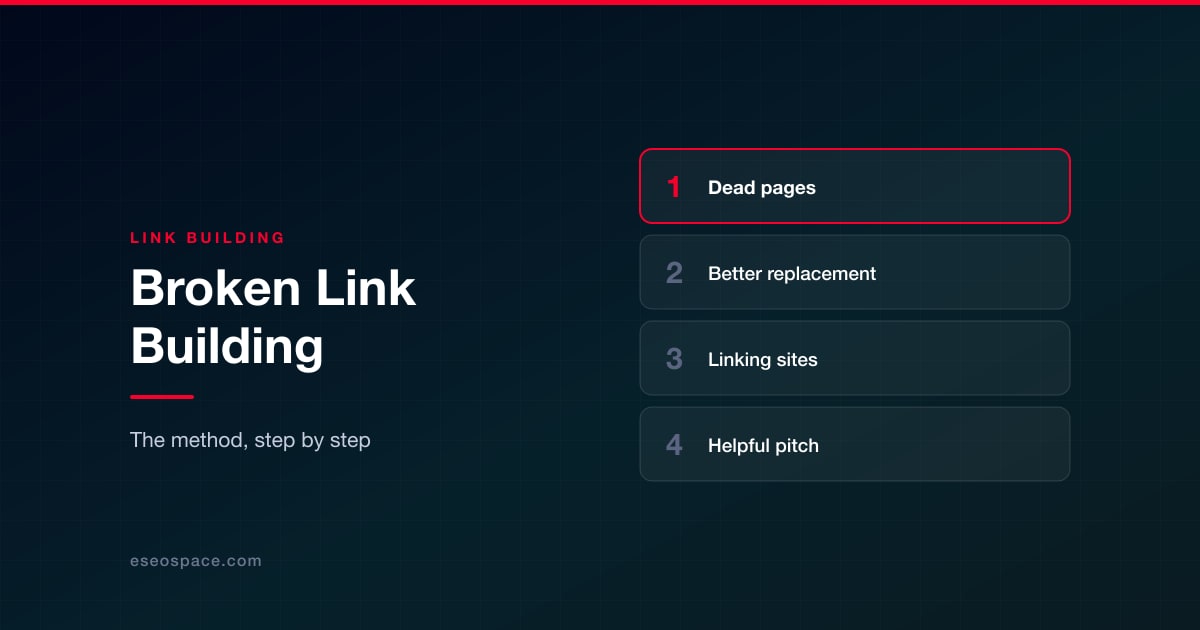
Broken link building means finding links on other websites that point to pages that no longer exist, then offering site owners a working, relevant replacement from your own site. It works because you're solving a real problem for the editor: a dead link frustrates their readers, and you're handing them a fix.
The tactic only works when your replacement is genuinely useful. Below is the step-by-step process our team follows, from finding dead pages with links to measuring results, plus a pitch template and the ethical lines we don't cross.
Key Takeaways
- Start with dead pages in your niche that still have many linking sites, not with random broken links.
- Use the Wayback Machine to see exactly what the dead page covered before you build anything.
- Your replacement has to be at least as useful as the original, and ideally better and more current.
- Pitch honestly: point out the broken link, offer your page as one option, and never pretend to be the original author.
- Measure links won per page and per pitch sent, and keep the dead-page list as a reusable research asset.
How broken link building works
Pages disappear all the time. Companies close, studies get pulled, blogs are migrated without redirects. When that happens, every site that linked to the page is left with a link that leads to an error. Google's documentation on HTTP status codes notes that URLs returning a 4xx code are dropped from its index, so those links point at a dead end for readers and at a page Google no longer indexes.
Broken link building has two main variants. You can find one broken link on a page you'd like a link from and suggest a replacement, or you can find a dead page that many sites linked to, recreate a better version, and contact all of them. The second takes more work up front and usually pays off more.
| Variant | How it works | Effort | Best for |
|---|---|---|---|
| Single broken link on a resource page | Scan a relevant resource or links page, find a dead outbound link, suggest your existing page | Low per pitch, low volume | Sites with an existing page that closely matches |
| Dead-page recreation | Find a dead page with many linking sites, build a better replacement, pitch every linker | High up front, many prospects per asset | Topics where you can produce a stronger, more current resource |
| Your own lost links | Fix links pointing to your own broken URLs with redirects | Lowest | Every site, as a first step |
That last row isn't really broken link building, but it belongs on the list because it's easier than any outreach. If links to your own site are broken, start with link reclamation for lost backlinks before you pitch anyone else.
Step 1: Find dead pages in your niche that still have backlinks
The goal is a short list of dead URLs that were once useful resources on topics you cover and that still have links from real, relevant sites. A few ways to find them:
- Competitor and peer sites. Put the domains of competitors, industry associations and defunct businesses into a backlink tool and filter their pages by "404" or "broken." Many tools have a broken-pages or best-by-links report that shows dead pages sorted by linking domains.
- Resource pages. Search for pages that curate links in your niche, such as
"roofing" "helpful resources"orintitle:resources "commercial roofing", and check their outbound links for errors. - Old industry content. Studies, calculators, glossaries and guides from companies that were acquired or went out of business are common sources of dead pages with many links.
This is a specialized form of prospecting. Our link prospecting workflow covers how to qualify the sites you find so your list stays relevant rather than just long.
How to find broken outbound links on a target page
When you've found a promising resource page, you need to check every outbound link on it. You have several options:
- A browser link-checker extension highlights broken links on the page you're viewing, which is fine for a handful of pages.
- A site crawler set to crawl a list of URLs and check external links will report the status code of every outbound link across many pages at once.
- A quick script that requests each outbound URL and records the status code works well if you're comfortable with code. Treat timeouts and 403 responses as "check manually," since some sites block automated requests.
Only count a link as broken after you've opened it yourself. Pages that return 200 but show "page not found" (soft 404s) and domains that now show parked or unrelated content also count as broken for this purpose.
Step 2: Confirm the page is dead and learn what it covered
Before you build anything, confirm the page is really gone, not just temporarily down or moved. Check the URL a few times over a couple of days and see whether the site has a new version under a different address. If the owner already moved it, there's nothing to replace.
Then look at past versions in the Internet Archive's Wayback Machine. Note:
- What the page covered and how deep it went.
- What format it was: a data study, a checklist, a tool, a glossary.
- Why people linked to it. Read a few of the linking pages to see the sentence the link sits in.
- What's now outdated, missing or wrong.
That last point is your opportunity. Linkers didn't link to the old page because of its URL; they linked because it answered something. Your replacement needs to answer the same thing, better and more current.
Step 3: Build or improve a genuinely better replacement
If you already have a page that covers the topic well, improve it to fill any gaps the old page covered. If you don't, create one. Either way, the bar is simple: an editor looking at your page should see that it is a fair replacement for the dead link, and preferably an upgrade.
- Cover everything the original covered that still holds true.
- Update facts, figures and regulations, and cite primary sources.
- Add what the original lacked: a table, a calculator, clearer steps, current examples.
- Make it a resource, not a sales page. Editors link to information, not to product pitches.
Don't copy the original's text from the archive. Rewriting it in your own words and adding real value is what makes this legitimate. Our guide to building linkable assets for GEO covers the formats that tend to earn and keep links, in both traditional search and AI answers.
Step 4: List every site linking to the dead page
Export the linking pages for the dead URL from one or more backlink tools, since each tool sees a different subset of the web. Then clean the list:
- Remove duplicates, scraped copies and obvious spam.
- Visit each linking page and confirm the link is still there and still broken.
- Drop pages that are themselves abandoned or clearly unmaintained.
- Find a named contact for each page: the author, editor or site owner.
- Note the sentence or section where the link appears, so your pitch can reference it exactly.
Record everything in a sheet with columns for linking URL, contact, where the link appears, date contacted, follow-up date and outcome.
Step 5: Pitch the replacement helpfully
A good broken link pitch leads with the editor's problem, not your link. Keep it short, specific and honest. Here's a template we adapt for each contact:
Subject: Broken link in your commercial roofing resources

Hi Priya,

I was reading your "Commercial Roofing Resources" page and noticed
the link to the "Roof Membrane Comparison Chart" in the Materials
section now returns a 404. It looks like the original site was
taken down.

We publish a current comparison of TPO, EPDM and PVC membranes,
updated this year, that covers the same ground:
https://example.com/guides/roof-membrane-comparison/

It might work as a replacement, but either way you may want to
update or remove the dead link for your readers.

Thanks,
Alex Chen
Example Roofing
Notice what the template does: it tells them where the broken link is, gives them the information whether or not they use your page, and leaves the decision to them. Send one follow-up at most. For more subject lines and follow-up wording, see our outreach email templates for link building.
The ethical lines
Broken link building is a legitimate tactic when it's honest. It stops being one when it relies on misdirection. We don't:
- Pretend to be the original author or imply our page is the "new home" of content that belonged to someone else.
- Buy expired domains to redirect their links to our site or rebuild them as link sources.
- Offer payment or link swaps for the replacement. Google's spam policies list buying links and excessive link exchanges as link spam. Paid links must be qualified with rel="sponsored" or rel="nofollow".
- Request specific keyword anchors. The editor chooses how to describe the link.
- Pitch pages that aren't a real match. If your page doesn't cover what the dead link covered, it isn't a replacement.
Step 6: Measure what you win
Track results per asset and per campaign, not just in total. Useful measures:
- Replies and links won as a share of pitches sent, calculated from your own sheet.
- Links won per replacement page, which tells you which topics are worth recreating.
- Link attributes: whether each link is followed, nofollow or sponsored.
- Referral traffic and engagement from the new links in your analytics.
- Organic visibility of the replacement page in Search Console over the following months.
Recheck won links every quarter. Resource pages get edited too, and a link won once can disappear. We're careful not to promise outcomes: no one can guarantee that a set of new links will move rankings, and the number of editors who respond varies widely by niche.
When to do it yourself and when to get help
A small team can run broken link building with a backlink tool, a crawler, the Wayback Machine and a spreadsheet. The hard parts are the research time and the content: building a replacement that's truly better takes real subject expertise. Keep an eye on your own site, too; our guide to monitoring and fixing broken links makes sure you aren't sending readers to dead pages while you're pointing out other sites' errors.
If you're comparing link building services, ask how they choose dead pages, who writes the replacement content, and what they will and won't say in outreach. If you'd like us to run it, our link building team handles the research, replacement content and outreach within Google's guidelines.
Frequently Asked Questions
Is broken link building against Google's guidelines?
No, not when it's done honestly. Suggesting a useful replacement for a dead link is ordinary editorial outreach. It becomes a problem if you pay for the link without qualifying it, trade links, or misrepresent who you are.
How do I know if a dead page is worth recreating?
Look for a dead page on a topic you can cover well, with links from several relevant, maintained sites. One or two links rarely justify building a new resource; a few dozen from real sites usually does.
Can I reuse content from the archived page?
Use the archived version to understand what the page covered, but write your own content. Copying someone else's archived text is both a copyright risk and a weak replacement.
What if the editor removes the broken link but doesn't add mine?
That still helped their readers, and it's their call. Mark it as closed and move on. Don't send repeated follow-ups.
How long does a broken link building campaign take?
Research and content usually take the most time. Once the replacement is live, outreach to a cleaned list can be done in a week or two, and replies trickle in over the following weeks.
Put this into action with eSEOspace
We help businesses grow with website development that actually performs. Explore the services behind this guide:
Get a FREE Audit
We'll perform a comprehensive SEO, AEO, GEO & CRO audit of your website — completely free — and show you exactly how to outrank your competitors.
Don't have a site yet? Get in touch →
Get a FREE GEO/AEO/SEO Audit
We'll analyze your site's SEO, GEO, AEO & CRO — completely free — and show you exactly how to get found across Google and AI answers.
Don't have a site yet? Get in touch →
Great — your audit is on the way!
We'll send your free SEO/GEO/AEO/CRO audit within the next few hours. Where should we send it?
You're all set! ✓
Your free audit is being prepared — check your inbox in the next few hours. Talk soon!


On this page
- Key Takeaways
- How broken link building works
- Step 1: Find dead pages in your niche that still have backlinks
- Step 2: Confirm the page is dead and learn what it covered
- Step 3: Build or improve a genuinely better replacement
- Step 4: List every site linking to the dead page
- Step 5: Pitch the replacement helpfully
- The ethical lines
- Step 6: Measure what you win
- When to do it yourself and when to get help
- Frequently Asked Questions






