



How to transfer a domain away from Wix
How to transfer a domain away from Wix
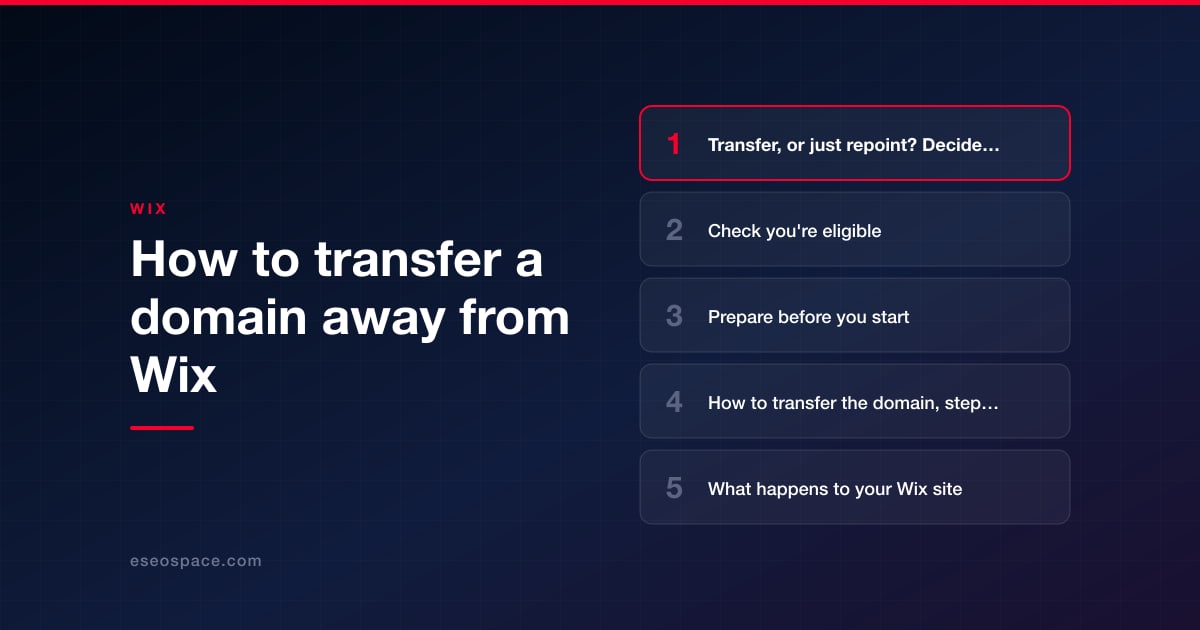
To transfer a domain away from Wix, go to Domains in your Wix account, click the Domain Actions icon next to the domain, choose Transfer away from Wix, and confirm. Wix emails an authorization code (also called an EPP code) to the domain's registrant contact address. You give that code to the new registrar, which pulls the domain across. The transfer takes up to 7 days.
Two things catch people out. First, the 60-day rules: you can't transfer within 60 days of buying the domain, changing the registrant contact, or a previous transfer. Second, the consequences: Wix states that when you transfer a domain away, your Wix site is disconnected, and email on the domain needs its MX records added again afterward. Both are avoidable problems if you prepare before you click.
Key Takeaways
- Path: Domains → Domain Actions → Transfer away from Wix → Transfer Domain → I Still Want to Transfer.
- The authorization code goes to the registrant contact email, so make sure you can receive mail at that address before you start.
- Transfers are blocked for 60 days after purchase, a registrant contact change, or a previous transfer.
- A transfer takes up to 7 days, and Wix can't track it once it has started.
- Your Wix site is disconnected from the domain, and email needs its MX records re-added at the new host.
- If you only want the site somewhere else, you may not need a transfer at all: a Wix-registered domain can serve a non-Wix site by editing its DNS records.
Transfer, or just repoint? Decide first
"Transferring" a domain means moving its registration, the yearly record of who owns it and who bills you, from Wix to another registrar. It doesn't move your website. People often start a transfer when they want something simpler.
| What you want | What to do | Transfer needed? |
|---|---|---|
| Keep the Wix site, but hold the domain at another registrar | Transfer out, then connect the domain back to Wix | Yes |
| Move the website to another platform, and keep the domain at Wix for now | Edit the domain's A and CNAME records in Wix to point at the new site | No |
| Leave Wix completely | Transfer out, set up DNS at the new registrar | Yes |
| Give the domain to someone else who uses Wix | Use Transfer to a different Wix account under Domain Actions | No |
The second row matters if you're in a hurry. Wix confirms that a Wix-registered domain can serve a non-Wix site by editing its A and CNAME records, so a new site can go live without waiting for a 60-day lock to end. What you can't do is change the name servers of a Wix domain, so the DNS stays managed at Wix until you transfer.
Check you're eligible
Before starting, confirm each of these:
- The 60-day rules. No transfer within 60 days of purchase, of a registrant contact change, or of a previous transfer. This is the reason to avoid editing your contact details just before a move.
- You're the right person. The transfer can be started by the site owner, or by an Admin (Co-Owner) who owns the payment method on the domain subscription. If an agency or former employee registered the domain in their Wix account, they have to start it. Ownership problems of that kind are covered in transferring ownership of a Wix site.
- The domain hasn't lapsed too far. An expired domain can be transferred only during its grace period, which is about 30 days.
- The new registrar accepts the extension. Check with them, and ask what the transfer costs and whether it adds a year of registration.
Prepare before you start
Ten minutes of preparation prevents most transfer problems.
- Copy every DNS record. Go to Domains → Domain Actions → Manage DNS Records and save a screenshot or a text copy of every record: A, CNAME, MX, TXT and anything else. You'll rebuild from this list.
- Check the registrant email. The authorization code is sent to the registrant contact address. If it's an old address, think carefully: changing the registrant contact starts a new 60-day wait. If you can still receive mail there, leave it alone.
- Turn off Private Registration. Wix recommends this so that transfer emails arrive. The path is Domains → Domain Actions → Edit contact info → Show more next to "Privacy Protection" → Turn off privacy protection.
- List what depends on the domain. The website, mailboxes, email marketing sender authentication, any subdomains, and third-party tools verified by a DNS record.
- Pick a quiet time. Avoid a launch week, a sale or a period when you're waiting on important email.
- Open an account at the new registrar and read its transfer-in instructions.
How to transfer the domain, step by step
- Go to Domains in your Wix account.
- Click the Domain Actions icon next to the domain.
- Select Transfer away from Wix.
- Click Transfer Domain.
- Click I Still Want to Transfer to confirm.
- Check the registrant contact inbox for the email from Wix with the authorization (EPP) code.
- At the new registrar, start a transfer in, enter the domain and paste the code.
- Approve any confirmation the new registrar sends you, and pay any fee it charges.
- Wait. Wix says the transfer takes up to 7 days and that it can't track the transfer once it has started. The new registrar's dashboard is the place to watch progress.
These steps are from Wix's guide to transferring a domain away. If the code email doesn't arrive, check spam, confirm which address is listed as the registrant, and make sure privacy protection is off.
What happens to your Wix site
Wix's statement is direct: "If you transfer your domain away, your Wix site is disconnected." The site itself isn't deleted. It remains in your account, and your plan keeps running and billing. It just no longer answers at your domain.
If you want to keep the Wix site live on the domain, you connect the domain back to Wix as an outside domain once the transfer completes, using name servers or pointing. Wix has no single article describing that exact sequence, and it doesn't document a way to avoid a gap, so plan for one:
- As soon as the domain appears at the new registrar, add it back in Wix: Domains → Add an Existing Domain → Connect a domain you already own.
- Choose name servers or pointing. For pointing, Wix's template is an A record with host @ and value 185.230.63.107, and a CNAME record with host www and value pointing.wixdns.net. Use the values shown in your own account.
- Allow up to 48 hours for the change to take effect, and for the SSL certificate to be issued.
Ask the new registrar, before you begin, how it handles DNS for a domain arriving by transfer. That answer determines how long your site may be unreachable. Both connection methods are explained in domains on Wix: buying, connecting and DNS.
If you're leaving Wix for a new website, the order is easier: build and test the new site first, then point the domain at it. Search rankings depend on each old page address redirecting to its new one, which is covered in our guide to migrating from Wix to WordPress.
What happens to your email
Email is where a careless transfer does the most damage, because missing mail is invisible until someone complains. Wix's guidance is that email will not keep working on its own after a transfer: "You need to add the MX records again after the transfer." MX records tell other mail servers where to deliver messages for your domain.
What to do:
- Re-create the MX records at the new DNS host as soon as you can edit DNS there, using the list you saved.
- Re-create the authentication records too. The TXT records for SPF and DKIM, and DMARC if you have it, prove your mail is genuine. Without them your messages are more likely to land in spam.
- Expect a possible gap. Wix doesn't say whether mail flows without interruption during the transfer itself, so assume some messages could be delayed and warn anyone who needs to know.
If your mailbox is Google Workspace bought through Wix, there's an extra consideration. The subscription is billed by Wix, and Wix says a mailbox can only be moved to Google directly through Wix Customer Care, and that the move is irreversible. Sort out where the mailbox will be billed before you move the domain. The options are in business email on a Wix site.
After the transfer: a checklist
- Confirm the domain shows as active at the new registrar, with the correct expiry date.
- Rebuild DNS: website records, MX, SPF, DKIM, DMARC and any verification records.
- Load the site with and without "www" and check for the padlock.
- Send and receive a test email from an outside address.
- Turn on domain privacy and auto-renew at the new registrar if you want them.
- Turn on a transfer lock at the new registrar.
- In Wix, review Premium Subscriptions and cancel anything you no longer need. The site plan, business email and apps are separate subscriptions and each must be canceled on its own. Note that domain payments to Wix are non-refundable.
- If you send email campaigns from Wix, re-check sender authentication, since it relied on DNS records that have now moved.
If you're closing down the Wix site too, read how to cancel a Wix plan and get a refund first, because the timing affects what you get back.
If something goes wrong
- "Transfer away from Wix" isn't available. You're probably inside a 60-day window, or you're not the owner or an eligible Admin (Co-Owner).
- The code never arrives. It went to the registrant contact address. Check that address, your spam folder, and that privacy protection is turned off.
- The new registrar rejects the code. Paste it again without extra spaces. If it still fails, contact Wix Customer Care and the new registrar's support.
- The site is down after the transfer. That's expected until you reconnect the domain or point it at the new site. See Wix domain not connecting: causes and fixes.
- Email stopped. The MX records are missing at the new DNS host. Add them from your saved list.
Conclusion
Transferring a domain out of Wix is a five-click process followed by a wait of up to 7 days. The clicks are the easy part. What decides whether it goes smoothly is the preparation: checking the 60-day rules, making sure the registrant email works, saving every DNS record, and knowing in advance how the site and email will be reconnected. If the domain carries a business's website and mailboxes and you'd prefer not to risk downtime, our team handles transfers as part of platform moves, such as a Wix to WordPress migration, and as standalone Wix website services. More guides are in our Wix hub.
Frequently asked questions
How long does it take to transfer a domain away from Wix?
Up to 7 days, according to Wix. Wix can't track or speed up the transfer once it has started, so follow progress at the new registrar.
Why can't I transfer my Wix domain yet?
The most common reason is a 60-day rule. Transfers are blocked for 60 days after the domain was purchased, after a registrant contact change, and after a previous transfer.
Where do I find the authorization code for my Wix domain?
Wix emails it to the domain's registrant contact address after you confirm the transfer under Domains, Domain Actions, Transfer away from Wix.
Will my Wix site go down if I transfer the domain?
Wix states that the site is disconnected when the domain is transferred away. The site isn't deleted, and you can connect the domain back by name servers or pointing once the transfer completes.
Will my email keep working after the transfer?
Not automatically. Wix says you need to add the MX records again after the transfer. Save all your DNS records beforehand and re-create them at the new DNS host.
Can I transfer an expired Wix domain?
Only during the grace period, which is about 30 days after expiry.
Put this into action with eSEOspace
We help businesses grow with website design that actually performs. Explore the services behind this guide:
Get a FREE Audit
We'll perform a comprehensive SEO, AEO, GEO & CRO audit of your website — completely free — and show you exactly how to outrank your competitors.
Don't have a site yet? Get in touch →
Get a FREE GEO/AEO/SEO Audit
We'll analyze your site's SEO, GEO, AEO & CRO — completely free — and show you exactly how to get found across Google and AI answers.
Don't have a site yet? Get in touch →
Great — your audit is on the way!
We'll send your free SEO/GEO/AEO/CRO audit within the next few hours. Where should we send it?
You're all set! ✓
Your free audit is being prepared — check your inbox in the next few hours. Talk soon!








