



Why your Wix site isn't showing up on Google
Why your Wix site isn't showing up on Google
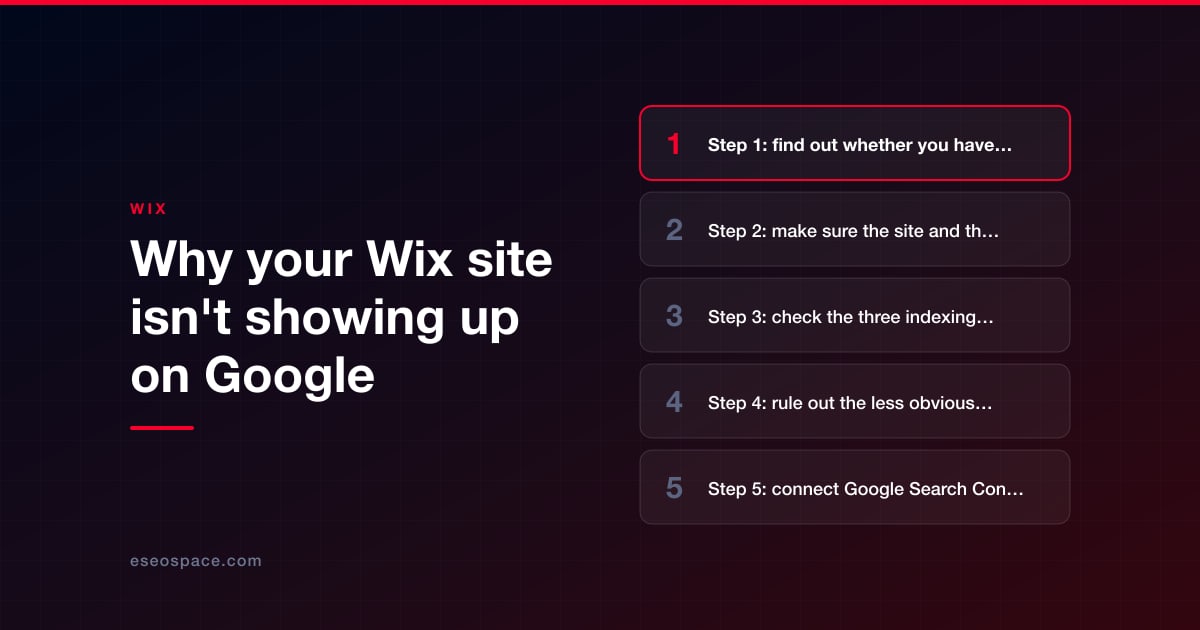
The most likely reason depends on how old the site is. If you published in the last few weeks, Google probably hasn't crawled it yet. Google says "It can take a few weeks for Google to notice a new site", and that applies to every website, not only Wix. The fix is to connect Google Search Console through Wix's SEO Setup Checklist, which submits your sitemap, and then wait.
If the site has been live for longer, the usual cause is a setting: the site or page isn't published, or the "Let search engines index your site" switch is off. Go to SEO & GEO → Tools and settings → SEO Settings in your dashboard and make sure that switch is enabled.
Before changing anything, run one test. Type site:yourdomain.com into Google, using your own domain. If pages are listed, your site is indexed, and what you have is a ranking problem. If nothing is listed, work through the checks below in order.
Key Takeaways
- A site:yourdomain.com search tells you whether Google has indexed your site. Indexed but hard to find is a ranking issue, which has different fixes.
- Wix sites are indexable by default, including free sites. Wix says all site content can be crawled and indexed "whether your site is upgraded or not."
- Three levels of setting can block indexing: the whole site, a page type, and a single page. Turning off the site-level switch overrides the other two.
- Connecting to Google Search Console from Wix requires a Premium plan and a connected domain.
- Google says crawling "can take anywhere from a few days to a few weeks", and that requesting a crawl does not guarantee a page will be included.
- Password-protected and members-only pages are not crawled or indexed, and Wix keeps some page types out of search by default.
Step 1: find out whether you have an indexing problem or a ranking problem
Indexing means Google has stored a copy of your page and can show it in results. Ranking is where the page appears for a given search. The two are easy to confuse, and they have different fixes.
- Search Google for site:yourdomain.com.
- If you see your pages, the site is indexed. Wix calls this "a ranking issue rather than an indexing issue."
- If you see some pages but not the one you care about, search for that page's exact URL with site: in front of it.
- If you see nothing, the site is not indexed. Continue with Step 2.
A common version of the ranking problem: you search for a broad phrase such as "plumber" and don't see your site. A new site will not rank for broad terms straight away. Search for your exact business name first. If that works, indexing is fine, and the work ahead is SEO. Our Wix SEO checklist is the place to start.
Step 2: make sure the site and the page are published
Search engines only see your live site. Wix's troubleshooting guide puts this first: pages you created, or edits you made, after the last time you clicked Publish are not visible to search engines.
- Open the editor and click Publish.
- Visit the live URL in a private browser window and confirm that the page loads without asking you to log in.
- Check that the page wasn't deleted by accident. Site History can restore earlier versions of a site, though Wix notes it does not restore items such as Wix Stores products.
Step 3: check the three indexing switches
Wix lets you block search engines at three levels. A block at any level keeps the page out of Google.
| Level | Where to find it | What to check |
|---|---|---|
| Whole site | SEO & GEO → Tools and settings → SEO Settings | Let search engines index your site is enabled |
| Page type (for example, all blog posts) | SEO Settings, then the page type, then Basics & social share | Let search engines index your page(s) is enabled |
| Single page, Wix Editor | Pages & Menu → More Actions → SEO basics | Let search engines index this page is enabled |
| Single page, Studio Editor | Pages → More Actions → SEO Basics | The same toggle |
The site-level switch is the one that causes the most trouble. Wix describes it as a way to "prevent search engines from crawling and indexing your site if you're not ready to go public", so it is sometimes turned off during a build and forgotten at launch. When it is off, the page-type and page-level options are disabled as well. Wix's article on enabling search engines to index your site shows the switch.
Step 4: rule out the less obvious blockers
If the switches are all on, Wix's checklist for a missing page continues with these:
- Password protection and members-only pages. Neither is crawled or indexed. Remove the restriction if the page should be public.
- A stray redirect. If the page's URL is redirected somewhere else, Google follows the redirect. Check SEO & GEO → Tools and settings → URL Redirect Manager.
- A wrong canonical tag. A canonical tag tells Google which URL is the main version of a page. If it was edited to point at a different page, Google may index that page instead. Open the page's SEO Basics, go to the Advanced SEO tab, find the canonical under Additional Tags, click Edit and choose Reset to Default. More in canonical tags and duplicate content on Wix.
- robots.txt. This file tells crawlers which parts of a site they may visit. Wix generates it for you. If someone edited it in the Robots.txt Editor, it can be reset to default. See Wix sitemap and robots.txt.
- Thin content. A page with very little on it can be treated as a "soft 404", meaning Google sees it as empty. Wix recommends "at least 250-400 words on the page."
- No internal links. If no other page on your site links to the page, crawlers have a harder time finding it. Add it to your menu or link to it from a related page.
- Automatic language redirects. On a multilingual site, Wix notes that automatic redirects can stop Googlebot, which usually crawls from the USA, from finding the other language versions.
Step 5: connect Google Search Console
Google Search Console is Google's free tool that shows which of your pages are indexed and why others are not. It is the only way to see Google's own reason for leaving a page out.
The quickest route on Wix is the SEO Setup Checklist. Wix states that "To connect to Google Search Console, you must have a Premium plan and a domain connected to your site."
- Go to SEO & GEO → Tools and settings → SEO Setup Checklist and click Get Started.
- Answer the setup questions about your business name, location and keywords.
- Complete the step that connects your site to Google. This verifies the site and submits your sitemap. After that, the sitemap updates automatically.
- For a page you want checked first, open Search Console, paste the full URL into the search bar at the top, and click Request Indexing.
Requesting indexing puts the page in Google's queue; it does not force it into results. Google's guide to asking Google to recrawl says requesting a crawl "does not guarantee that inclusion in search results will happen instantly or even at all", and that asking repeatedly for the same URL won't speed it up. If the connection fails or you'd rather verify by hand, our guide to connecting Wix to Google Search Console covers both routes.
Once connected, Wix's Site Inspection tool, in the same Tools and settings list, shows the index status Google reports for each page.
What if you're on the free plan
A free Wix site can be indexed. Wix states: "We guarantee that all of your site content can be crawled and indexed by search engines (e.g. Google and Bing) whether your site is upgraded or not."
What the free plan lacks are the tools that speed things up and help you diagnose problems. Connecting Search Console from Wix needs a Premium plan and a connected domain. IndexNow, which Wix uses to tell Bing and some other search engines about changed pages automatically, is "only available for sites with a Premium plan." Our guide to the free Wix plan covers the other limits.
How long indexing takes
There is no fixed answer, and no one can promise one. Here is what Wix and Google say:
| Situation | What to expect | Source |
|---|---|---|
| A brand-new site | "It can take a few weeks for Google to notice a new site, or any changes in your existing site." | |
| After requesting a crawl | "Crawling can take anywhere from a few days to a few weeks." | |
| Any Wix site | "There is no guaranteed time frame in which your site will be indexed"; the wait is set by search engines and "is the same for all websites (not just Wix sites)." | Wix |
| Edits to a title or description | They don't appear until Google recrawls the page, and Google may show its own choice of title or description. | Wix |
Pages that are left out on purpose
Not every page is meant to be in Google. Wix says search engines do not guarantee indexing every page of a site, and calls that "perfectly normal in many cases." Wix also keeps some pages out by default:
- Blog tag pages and blog archive pages.
- Member profile pages.
- Some pages added by apps, such as form pages and calendar pages.
Seeing these listed as not indexed in a report is expected and doesn't need fixing.
Reading the two Search Console statuses Wix owners ask about
"Crawled - currently not indexed"
Google visited the page and chose not to index it for now. Wix says this is not an error and that resubmitting isn't necessary, though you can request indexing. In practice it often points to a page that is thin or very similar to another page. Improve the content and add internal links to it.
"Submitted URL marked 'noindex'"
Your sitemap lists a page that carries a noindex tag. Check the URL, the index toggles, password protection and members-only status. Wix adds that if the sitemap's "Last read" date is over a month old, the error is probably out of date.
If your site used to appear and has disappeared
A site that drops out of Google completely is a different problem from a new site waiting its turn. Wix's guidance is to fix any issues, confirm that crawlers aren't blocked in robots.txt, and check Search Console for a manual action, which is a penalty applied by a Google reviewer. If there is one, you can request a reconsideration review after fixing the cause; Wix says that takes "several days or weeks." Afterward, the Bot Traffic and Response Status reports in Wix Analytics show whether Google's crawler is visiting again.
If the site is still indexed but visits have fallen, see why traffic dropped on your Wix site.
Conclusion
Most Wix sites that are missing from Google are either too new to have been crawled or blocked by a setting: not published, or an indexing switch turned off at the site, page-type or page level. Run the site: search, check the switches, connect Search Console and give Google a few weeks. If the site is indexed and still hard to find, the work shifts from indexing to SEO, and a structured review such as our guide on how to audit a Wix site for SEO is the next step. If you'd like someone to find the cause for you, our SEO audit services cover Wix sites. More guides are in our Wix hub.
Frequently asked questions
How long does it take for a new Wix site to show up on Google?
There is no guaranteed time. Google says it can take a few weeks to notice a new site, and that crawling takes anywhere from a few days to a few weeks. Connecting Search Console and submitting your sitemap helps Google find the site, but does not guarantee a date.
Do I need a paid Wix plan to appear on Google?
No. Wix says free sites can be crawled and indexed. You do need a Premium plan and a connected domain to connect Google Search Console from the Wix dashboard, and to use IndexNow.
Why does my site show up when I search its name but not for my services?
That means the site is indexed, and the issue is ranking. Ranking for service keywords depends on your content, your competition and how established your site is. Start with page titles, useful content on each service page, and a Google Business Profile if you serve a local area.
Can I pay Google or Wix to index my site faster?
No. A paid Wix plan adds tools such as the Search Console connection and IndexNow, but Wix states there is no guaranteed time frame in which a site will be indexed, and Google says that requesting a crawl does not guarantee inclusion in its results.
Put this into action with eSEOspace
We help businesses grow with website design that actually performs. Explore the services behind this guide:
Get a FREE Audit
We'll perform a comprehensive SEO, AEO, GEO & CRO audit of your website — completely free — and show you exactly how to outrank your competitors.
Don't have a site yet? Get in touch →
Get a FREE GEO/AEO/SEO Audit
We'll analyze your site's SEO, GEO, AEO & CRO — completely free — and show you exactly how to get found across Google and AI answers.
Don't have a site yet? Get in touch →
Great — your audit is on the way!
We'll send your free SEO/GEO/AEO/CRO audit within the next few hours. Where should we send it?
You're all set! ✓
Your free audit is being prepared — check your inbox in the next few hours. Talk soon!


On this page
- Key Takeaways
- Step 1: find out whether you have an indexing problem or a ranking problem
- Step 2: make sure the site and the page are published
- Step 3: check the three indexing switches
- Step 4: rule out the less obvious blockers
- Step 5: connect Google Search Console
- What if you're on the free plan
- How long indexing takes
- Pages that are left out on purpose
- Reading the two Search Console statuses Wix owners ask about
- If your site used to appear and has disappeared
- Conclusion
- Frequently asked questions






